Cursor review
Is Cursor free, and is it worth learning as a designer? What the free plan covers, how designers use it with Figma and when an AI app builder fits better.
 Sketch Focus Editorial TeamLast updated
Research-based reviewNot yet tested hands-on · facts checked Nov 22, 2026How we test
From $8/mo
Free plan available
Our take so far
Cursor is worth learning if you're a designer who already works near code: the official Figma plugin and Design Mode take you from frame to working UI and let you adjust it by clicking. If you'd rather not open a code editor, or want usage limits you can read as numbers, an AI app builder like Lovable is the easier fit.

Cursor
At a glance
Not scored yet. We only score tools after hands-on testing.
- What it is
- AI code editor with agents and a visual Design Mode
- Free plan
- Yes
- Paid from
- $8/mo
- Builds
- Code in your own project, any framework
- Design import
- Official Figma plugin (two-way)
- Visual editing
- Design Mode in the built-in browser
- Models
- Grok and Composer in plan, others extra
- Hosting
- Live apps on paid plans with cloud agents
- Sold as
- The X Subscription (with Grok and X Premium)
- Made by
- Cursor
Cursor pricing
Free
For trying it out
$0/mo
- Agent, Chat and Tab, "limited"
- Cursor models only (Grok, Composer)
- No numeric limits published
- No third-party models
Plus
For designers trying it out properly
$8/mo
- Base weekly pool (1x), shared with Grok
- Cursor agent at fixed settings
- $80 a year billed yearly
- No cloud agents or third-party models
Premium
For regular use and live apps
$30/mo
- 4x the Plus weekly pool
- Cloud agents, automations, Bugbot
- Code hosting and live apps
- Third-party models at API list price
Super
For heavy daily use
$100/mo
- 15x the Plus weekly pool
- Everything in Premium
- Priority model access at peak times
Ultra
For the heaviest use
$200/mo
- 50x the Plus weekly pool
- Everything in Super
- Earliest access to products and models
Teams
For product teams
$30/user/mo
- Premium, Super or Ultra seats ($30, $100, $200)
- Each seat has its own weekly pool
- SSO, privacy mode, usage analytics
- Team marketplace for rules and plugins
Enterprise
For large organisations
Custom
- Pooled usage across Grok and Cursor
- SCIM and audit logs
- Model, MCP and repo access controls
- Invoice billing, priority support
Sold since 12 October 2026 as The X Subscription, bundled with Grok and X Premium. Paid plans get a weekly usage pool shared with Grok; third-party models such as Claude are paid from prepaid credit at API list price. Prices from cursor.com, checked Nov 22, 2026. Plans change often, so confirm before you buy.
What Cursor is
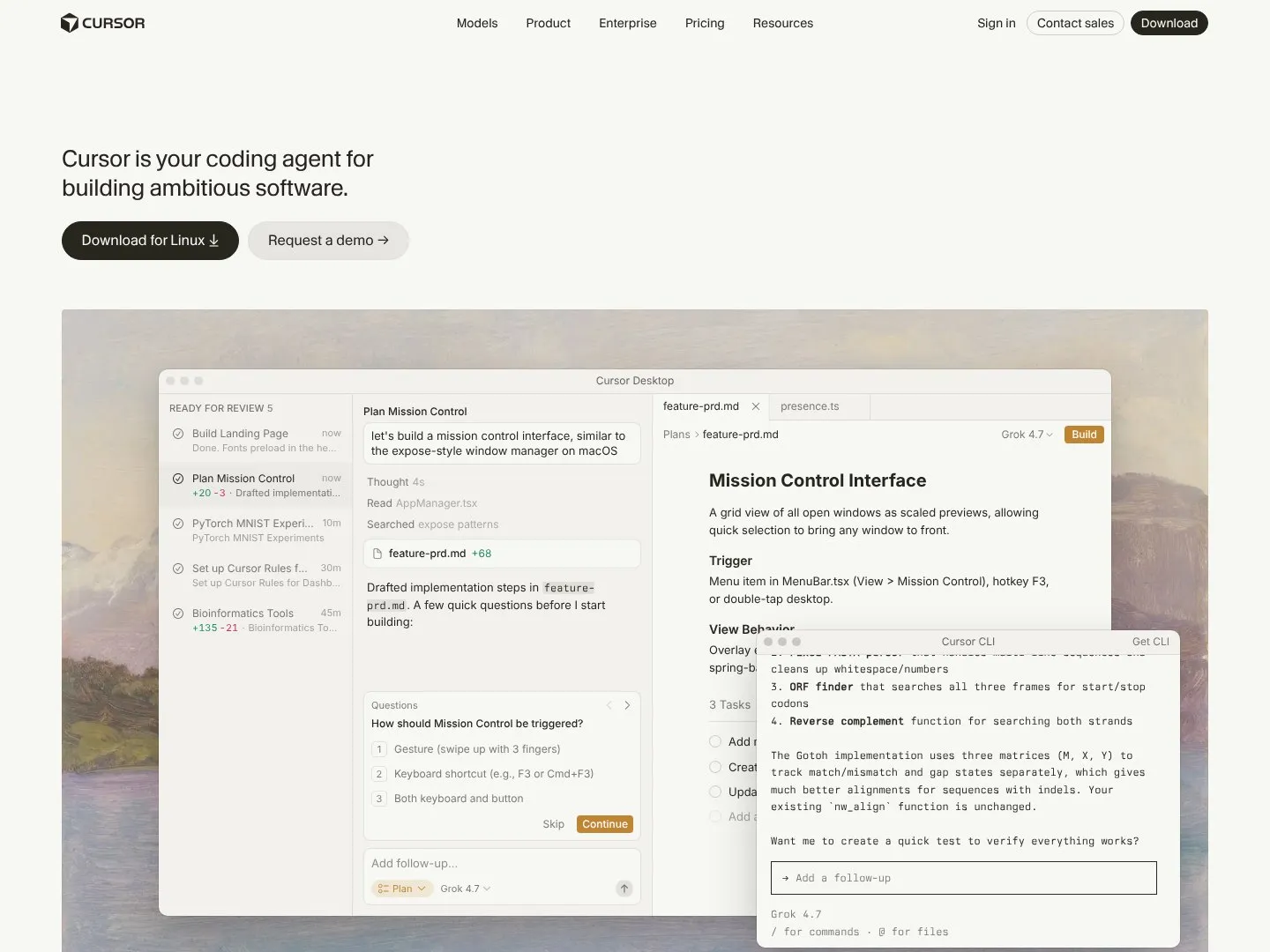
Cursor is worth a designer’s time only if you’re ready to work in a code editor. In return, you get an official two-way Figma plugin and a click-to-edit Design Mode on your real project. It is an AI code editor with local and cloud coding agents, tab completions and a built-in browser. That browser has a visual Design Mode, and Cursor supports MCP plugins, including an official one from Figma.
The way you buy it changed recently. Since 12 October 2026, Cursor has been sold to new customers as part of “The X Subscription”, one plan that bundles Grok, Grok Bot, Cursor and X Premium. The old Cursor plans (Hobby, Pro, Pro+, Ultra and Teams) are closed to new customers but keep working for existing subscribers.
What designers can do with it
The Figma plugin and Design Mode are the two reasons a designer would pick Cursor over a general AI chat. Ranked by how much each matters to a designer:
- Figma to code, and back (headline feature). Figma’s official plugin (“Created by Figma”, “Verified by Cursor”) installs with one command. It generates code from a Figma link, references frames, extracts design tokens and uses your published libraries, components, variables and styles. It can also push UI back into Figma and create Design, FigJam and Slides files.
- Design Mode (headline feature, prompt-driven). In the built-in browser, press Cmd/Ctrl+Shift+D and click one or several elements, draw on a frozen frame or speak instructions. The agent gets the element’s identity, styles and a screenshot, edits the code, and the app reloads. There’s no CSS property panel described, so every change is still a request to the agent.
- A design system from your codebase (useful extra). The figma-generate-library skill builds or updates a Figma design system from code, with variables, tokens, components with variants and light and dark theming. Rules files such as
.cursor/rules/design-system.mdctell the agent which components and tokens to use. - Built-in browser (useful extra). The agent can navigate, click, type, take screenshots and read the console in a browser pane. Cursor lists “convert designs into code” and accessibility audits as uses, and actions need your approval by default.
- Screenshots into chat (nice extra). Drag an image in or paste it, and Cursor suggests this for implementing mockups and visual debugging. Supported formats aren’t stated.
- Live apps (paid only). Since 5 November 2026, cloud agents can scaffold a web app, add a Postgres database and publish it to a unique domain with a live link. Custom domains aren’t stated, and Plus doesn’t include cloud agents.
- Weak spot: framework and mobile details. Design Mode reads React’s fiber tree, which suggests React, but Cursor doesn’t list supported frameworks. Native mobile app output isn’t stated either.
How good is the design output?
There’s no independent verdict yet on Cursor’s UI output for designers; the published reviews in our sources judge the editor and the pricing instead. None of what follows is our own test.
Hackceleration (Romain Cochard, 2026 edition) gives Cursor 4.0 out of 5. It praises the familiar VS Code feel, fast tab completions and a diff for every change the agent makes. That last point matters for designers: you can see exactly what changed before you accept it.
What Cursor’s own pages make clear is that output quality depends on the context you give it. Cursor’s designer page suggests combining Figma, design system docs and Storybook as context. With the Figma plugin reading your variables and components, the agent has your real design decisions to work from. Without them, you’re relying on whatever defaults the model picks.
The real cost: a weekly pool you can’t see
Cursor’s prices are clear; what you get for them isn’t. These prices were checked on 22 November 2026, in USD before tax:
- Free: $0, with “limited” Agent, Chat and Tab on Cursor models (Grok and Composer). No numbers are published.
- Plus: $8 a month or $80 a year. A base weekly pool, Grok and Composer only, at fixed settings (Fast off, medium effort). No Auto, cloud agents, Bugbot or third-party models.
- Premium: $30 a month or $300 a year, with 4x the Plus pool, cloud agents, code hosting, Bugbot and third-party models paid from prepaid credit.
- Super: $100 a month ($1,000 a year) for 15x the Plus pool. Ultra: $200 a month ($2,000 a year) for 50x.
- Teams: $30, $100 or $200 per seat a month; Enterprise: custom.
Every paid plan has one weekly pool for Cursor’s models (Grok 4.7, 4.6, 4.5 and Composer 2.5). Agent in the editor, the CLI, cloud agents, Grok Bot and the Grok apps all draw from it. So chatting with Grok elsewhere uses the same allowance as your coding.
The pool is expressed only as multiples of Plus, never as a number, and Cursor doesn’t say whether unused usage rolls over. When it runs out, you can wait for the weekly reset, pay from prepaid credit or upgrade. Cursor says requests are never slowed down or downgraded.
Third-party models sit outside every pool. On Premium and above, Claude, GPT and Gemini are paid from prepaid credit at API list price from the first request. Claude Sonnet 5.5, for example, costs $2 per million input tokens and $10 per million output tokens. Teams and Enterprise add a $0.25 per million token rate on eligible third-party requests.
If you’re already on a legacy plan (Pro at $20, Pro+ at $60), you can keep it. Switching is optional and permanent, and Cursor says each new paid plan includes “at least twice as much coding usage” with its own models. To stop paying, cancel at least 24 hours before renewal.
Our advice: start on Free to see whether working in a code editor suits you, then try Plus at $8 if it does. Move to Premium only when you need live apps or a third-party model like Claude. If you do, set a spending cap on prepaid credit first.
Where it falls short
The main problem is that you can’t tell how much you’ll get before you pay.
- Unpublished limits. Free is “limited” and paid pools are multiples of Plus. Hackceleration criticises the unpublished weekly allowance and hard-to-follow usage tracking. Gabriel Anhaia on DEV Community, who builds a competing tool, says the multiples are hard to estimate.
- Grok by default. Only Cursor’s own models are in the pool. On the Cursor forum’s announcement thread, several users said paying for Grok-only usage undermines Cursor’s multi-model appeal. Others objected to losing the $20 plan without notice.
- Plus is stripped down. No cloud agents, Auto or third-party models. By the help page, that rules out live apps on the cheapest paid plan, though the changelog’s “all paid plans” wording leaves room for doubt.
- Design Mode isn’t a design tool. You point and describe; the agent writes the change. There’s no property panel for nudging spacing or colour directly.
- Still a code editor. Even with agents doing the typing, you’re working in project files, approving diffs and running a dev server. That’s a real learning curve for a designer who has never done it.
Cursor vs Lovable
Lovable is the easier start for most designers; Cursor is the better long-term tool if you work with developers. Lovable builds and hosts a web app from a chat, with a point-and-edit toolbar and credits from $25 a month. You don’t need to see the code unless you want to.
Cursor works on a real codebase, so a designer can make changes in the same project developers ship. Its Figma plugin also runs both ways. It’s cheaper to enter at $8 for Plus, but usage limits aren’t published and cloud features need Premium. See our Lovable review.
Should you use Cursor?
Yes, if you work with developers on a real codebase, want Figma designs turned into code that uses your tokens, or want to learn front-end work with an agent’s help.
Not yet, if you’d rather avoid a code editor, need usage limits you can measure, or mainly want Claude or GPT without paying API prices on top.
How we reviewed Cursor
This review is based on research, not yet on our own hands-on test. In we checked Cursor’s pricing page, help centre, docs, changelog, blog and Marketplace pages, plus published independent reviews and the Cursor forum. Prices, limits and features come from Cursor’s own pages, and we’ve flagged where those pages disagree or give no numbers. The opinions are our editors’ judgement based on that research.
Next, we’ll build the same three projects we use for every tool in this hub (a SaaS dashboard, a mobile onboarding flow and a landing page) and add our scores. See how we test.
Sources we checked
- Cursor pricing (opens in new tab) and pricing help (opens in new tab)
- Cursor docs: models and pricing (opens in new tab), legacy plans (opens in new tab), Teams pricing (opens in new tab), Design Mode (opens in new tab), browser (opens in new tab), prompting (opens in new tab), MCP (opens in new tab)
- Cursor for designers (opens in new tab) and Design Mode (opens in new tab) (Cursor blog, 5 June 2026)
- Cursor Marketplace: Figma plugin (opens in new tab), figma-generate-library skill (opens in new tab)
- Cursor changelog (opens in new tab)
- Introducing the X Subscription (opens in new tab) (Cursor forum, 12 October 2026)
- Cursor review (opens in new tab) (Hackceleration)
- Cursor’s new plans (opens in new tab) (Gabriel Anhaia, DEV Community; the author builds a competing tool)
Alternatives to Cursor
See all →


Frequently asked questions
Is Cursor free?
Yes. The Free plan costs $0 and includes Agent, Chat and Tab completions with Cursor's own models (Grok and Composer). Cursor only calls the usage 'limited' and publishes no numbers, and third-party models such as Claude aren't included.
How much does Cursor cost?
Plus costs $8 a month, Premium $30, Super $100 and Ultra $200, or $80, $300, $1,000 and $2,000 billed yearly. Teams seats cost $30, $100 or $200 a month, and Enterprise is priced on request. Prices exclude tax and were checked on 22 November 2026.
Why is Cursor sold with an X subscription?
On 12 October 2026 Cursor moved new customers to The X Subscription, one plan that bundles Grok, Grok Bot, Cursor and X Premium. Cursor's pricing FAQ says subscriptions are sold only through X Subscription Corp. The pages we checked describe the change but don't explain the reason; old plans such as Pro keep working for existing subscribers but are closed to new ones.
Can designers use Cursor with Figma?
Yes. Figma's official plugin in the Cursor Marketplace turns designs into code from a Figma link and can use your published libraries, components, variables and styles. It can also push UI back to Figma and build a Figma design system from a codebase. Cursor's pages don't say which Figma plan or seat you need.
Do I need to code to use Cursor?
Not to start, but it helps a lot. Agents build prototypes from a description, and Design Mode lets you click on elements and say what to change. Cursor still works on code in your own project files, so you'll be reviewing changes in a code editor rather than a design canvas.
Cursor or Lovable: which should a designer use?
Lovable if you want to go from idea to a hosted web app without touching code, with credit-based plans from $25 a month. Cursor if you work in a real codebase with developers and want the Figma plugin both ways. Cursor's Plus plan is cheaper at $8, but its usage limits aren't published as numbers.