UX Pilot review
UX Pilot reviewed for designers: the quality of its AI wireframes and screens, how it works with Figma, pricing and whether it earns a place in your work.
 Sketch Focus Editorial TeamLast updated
Research-based reviewNot yet tested hands-on · facts checked Nov 22, 2026How we test
From $19/mo
Free plan available
Our take so far
UX Pilot is one of the more designer-minded AI UI tools we've researched: it works inside Figma, reuses your components and includes AI design reviews on the free plan. The catches are credits that users say run out fast, user reports of weaker brand consistency on complex flows, and export to Figma and code only on paid plans.

UX Pilot
At a glance
Not scored yet. We only score tools after hands-on testing.
- What it is
- AI wireframes, UI screens and design reviews
- Free plan
- Yes
- Paid from
- $19/mo
- Builds
- Wireframes, hi-fi screens, multi-screen flows
- Input
- Prompts, PRDs, screenshots, Figma components
- Figma
- Nodey plugin with native, editable layers
- Export
- Figma, HTML, CSS, React
- Extras
- AI design review, predictive heatmaps
- AI agents
- MCP server for Claude, Cursor, ChatGPT
- Made by
- UX Pilot Inc. (New York)
UX Pilot pricing
Free
For trying it out
$0/mo
- 80 credits a day, up to 13 screens
- 1 project, no credit card
- Design review and heatmaps included
- Personal, non-commercial use only
Pro
For solo designers
$19/mo
- 750 credits a month, up to 125 screens
- $29 a month if billed monthly
- Export to Figma and code
- Unlimited projects, credit top-ups
Teams
For small design teams
$31/user/mo
- 900 credits per user a month, pooled
- $39 per user if billed monthly
- 2 to 15 seats, with roles
- Real-time collaboration
Enterprise
For large organisations
Custom
- AI fine-tuned on your brand system
- Full design system import
- SSO, SCIM and audit logs
AI work is metered in credits. $19 is UX Pilot's own figure for Pro billed yearly ($29 billed monthly), and the live plan cards confirmed it on 23 November 2026. Prices from uxpilot.ai, checked Nov 22, 2026. Plans change often, so confirm before you buy.
What UX Pilot is
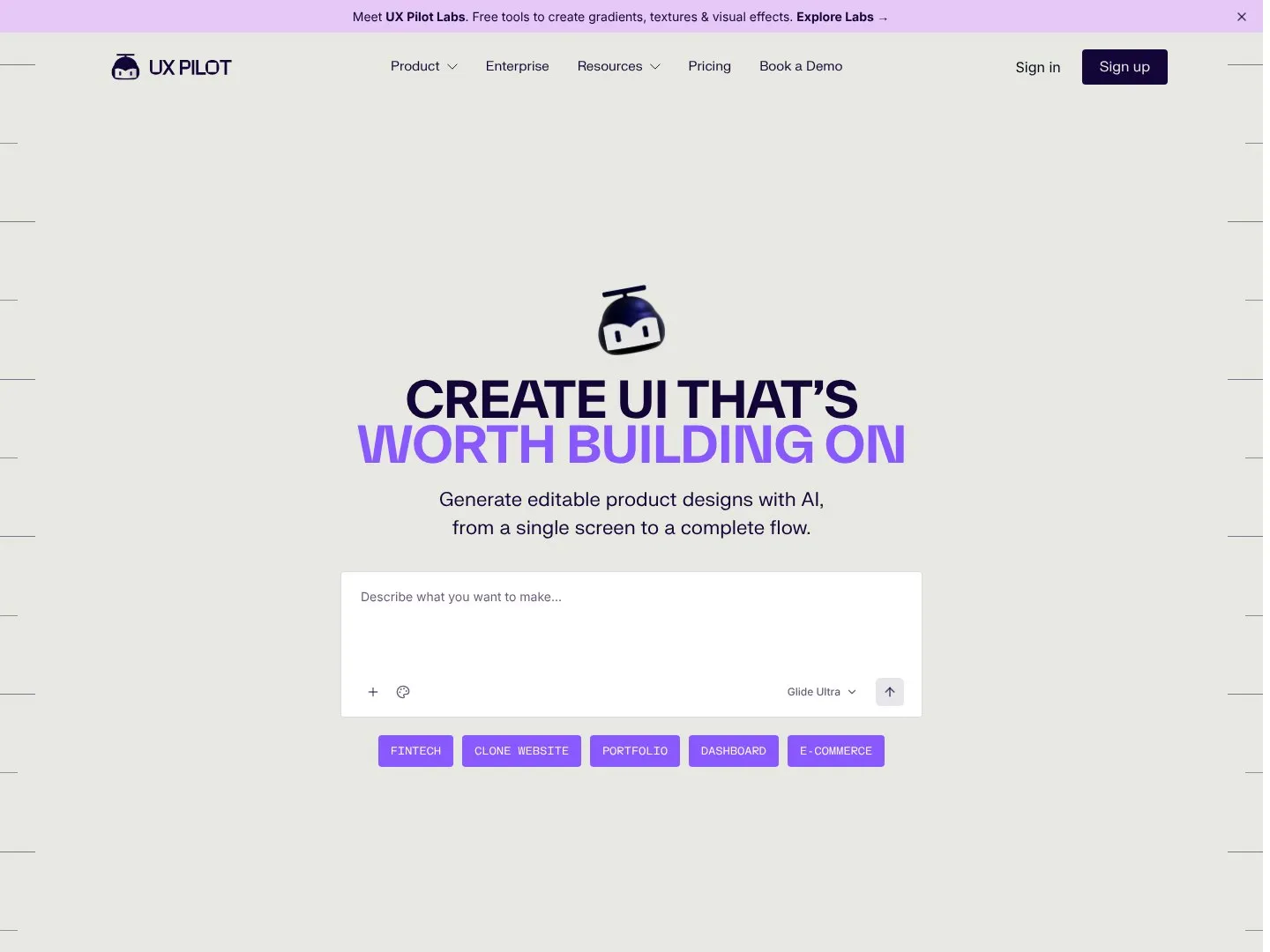
UX Pilot looks like a sensible AI assistant for designers who already work in Figma. The trade-offs are tight credit limits and a pricing page that disagrees with itself. It generates wireframes, high-fidelity screens and connected multi-screen flows from a prompt, a PRD, a screenshot or your Figma components. It also runs AI design reviews with accessibility checks and predictive heatmaps.
You can use it in three places: a web app, a Figma plugin called Nodey, and inside AI agents such as Claude or Cursor through an MCP server. It runs on Glide, UX Pilot’s own design model, which came with UX Pilot 2.0 in July 2026. UX Pilot Inc. is based in New York, and it says plainly that it’s a design tool, not a website builder.
What designers can do with it
The Figma plugin and the design reviews are the parts most worth a designer’s attention. The rest is useful but common.
- Native Figma layers through Nodey, the headline feature. The plugin is free to install, opens with Cmd+K (Ctrl+K on Windows) and generates editable Figma layers with auto layout and tokens. Its Simple Sync reads your components once and reuses them as instances, so generated screens use your design system.
- Figma component import on every plan. You can bring your components into UX Pilot so its screens match your library. The vendor’s FAQ also describes two-way sync with Figma. Credits are shared across the web app and Nodey, so one subscription covers both.
- AI design review, a strong free extra. Reviews rate UX issues by severity and suggest fixes, run a persona audit and check accessibility against WCAG 2.0, 2.1 and 2.2 and Section 508. You also get a predictive heatmap and gaze flow. It works on Figma frames, UX Pilot designs or uploaded screenshots, and “Fix with AI” applies the fixes you pick.
- Several directions per brief. UX Pilot generates distinct design directions from one prompt and links screens into flows. Section edit changes one part of a screen without touching the rest, which matters when only the header is wrong.
- Code export, paid only per most vendor pages. You can export HTML, CSS and React, and the design-to-code page says the code can sync to GitHub. Unite.ai calls the code export basic, so treat it as a starting point for developers.
- Website cloner and document-to-design, paid extras. The cloner recreates a site from a URL or screenshot. Both are listed on Pro.
- Design PR Review Agent, a niche extra. This GitHub App reviews UI changes in pull requests for accessibility, responsive behaviour and design system consistency. UX Pilot doesn’t say which plans include it.
- No back end. There’s no database, sign-in or full website hosting. You can publish preview links and hosted React prototypes, but custom domains aren’t mentioned.
How good is the design output?
Reviewers mostly agree it’s fast and easy to learn, and several user reviews say it struggles with brand consistency on bigger jobs. The scores are good but not outstanding.
On Capterra, UX Pilot has 4.5 out of 5 from 109 reviews (page updated 15 October 2026). Reviewers like fast screen generation and an easy interface. They also say credits run out fast, regeneration is slow, and complex flows and brand consistency are weaker. G2 shows 4.3 out of 5 from 127 reviews.
Trustpilot shows a 4.0 TrustScore from 216 reviews dated November 2025 to November 2026. Reviewers praise ease of use and how quickly work gets into Figma. Others report inconsistent output with existing brand assets and heavy credit use. One says they lost unused credits after cancelling.
Unite.ai’s Janine Heinrichs (updated 30 March 2026) finds it easy to learn and a good fit for non-technical teams. She calls the code export basic and the free plan limited. Much of this feedback predates or overlaps with the July 2026 model change, so the output may have shifted since.
The real cost: how UX Pilot credits work
The plans are simple, but the prices aren’t settled. When we checked on 22 November 2026, the plan cards on UX Pilot’s pricing page only loaded in a browser. UX Pilot’s own plan descriptions, on its AI-instructions page and llms.txt, list these prices:
- Free: $0, with 80 credits a day (up to 13 screens), one project and no credit card. Daily credits don’t roll over.
- Pro: $29 a month, or $19 a month billed yearly (“save 35%”), with 750 credits a month (up to 125 screens).
- Teams: $39 per user a month, or $31 billed yearly, with 900 credits per user in a shared pool, for 2 to 15 seats.
- Enterprise: custom pricing and custom credits.
The live plan cards, which we checked in a browser on 23 November 2026, match those figures: Pro is $29, or $19 a month billed yearly, and Teams $39, or $31 per user billed yearly. The page’s hidden metadata still shows older numbers ($14 and $22), which is likely why other sites quote them.
Credits pay for AI work: design generation on standard, pro or ultra quality, screens-to-React conversion, prompt edits to React, flowcharts, and video and media. Direct edits through the MCP edit tool use no credits. UX Pilot doesn’t publish a per-action credit table, and its terms let it change what each model costs.
Paid plan credits roll over and build up each month, but you can only use them with an active subscription. Top-up packs never expire, though their prices aren’t published. There are no refunds, and plans renew automatically.
On the vendor’s own figures, a screen costs about 6 credits (80 credits for 13 screens, 750 for 125). Treat that as a rough guide, since UX Pilot doesn’t break down quality tiers, edits or React conversion.
Our advice: start on Free and run a design review on one of your own Figma frames. That costs nothing and shows whether the feedback is useful to you. Only pay once you know how many screens a typical project burns, and remember Free designs can’t go into client work.
Where it falls short
The main weakness is cost uncertainty: unclear prices plus credits that users say disappear quickly.
- Prices don’t match across UX Pilot’s pages. $19, $22 and “from $14” all appear for paid plans. Capterra’s listed prices are also out of date versus the vendor.
- The Free plan is personal use only. You can’t use Free designs commercially, and you get only one project.
- Credits are locked to your subscription. Rolled-over and purchased credits become inaccessible if you cancel, until you reactivate. There are no refunds, even for unused time.
- Brand consistency on complex work. Users on Capterra and Trustpilot say output drifts from existing brand assets and complex flows are weaker.
- Figma export is paid. The live plan comparison (checked 23 November 2026) shows export to Figma and code only on Pro and above.
- Teams caps at 15 seats. Larger teams go to Enterprise. The terms also still refer to older plan names.
UX Pilot vs Uizard
UX Pilot suits designers who live in Figma, and Uizard suits people who want everything in one browser editor. UX Pilot writes native Figma layers and imports your components. Uizard has no direct Figma export and suggests SVG export instead.
Uizard Pro costs $19 per creator a month, or $12 billed yearly, with 500 AI generations a month. Its free plan gives just 3 generations a month, against UX Pilot’s 80 credits a day. Uizard’s code handoff shows CSS or React one component at a time, while UX Pilot exports whole screens. See our Uizard review.
Should you use UX Pilot?
Yes, if you design in Figma and want AI screens as editable layers, or you want accessibility and UX reviews on existing frames. It also fits if your AI agents should generate designs.
Not yet, if you need a free tool for client work, you need predictable monthly costs, or your work depends on tight brand consistency across long flows.
How we reviewed UX Pilot
This review is based on research, not yet on our own hands-on test. In we checked UX Pilot’s pricing page, its AI-instructions page and llms.txt, its terms, product pages and published reviews. Prices and features come from UX Pilot’s own pages, and where those pages disagree we say so.
Statements about output quality summarise what independent reviewers and users report. The opinions are our editors’ judgement based on that research, not test results. Next, we’ll build the same three projects we use for every AI design tool (a SaaS dashboard, a mobile onboarding flow and a landing page) and add our scores. See how we test, or browse more AI design tools.
Sources we checked
- UX Pilot plans (opens in new tab), AI instructions (opens in new tab) and llms.txt (opens in new tab)
- UX Pilot terms of service (opens in new tab)
- UX Pilot product pages: Figma plugin (Nodey) (opens in new tab), AI design review (opens in new tab), MCP server (opens in new tab), UX Pilot in Claude (opens in new tab), design-to-code (opens in new tab), website cloner (opens in new tab)
- UX Pilot review (opens in new tab) (Unite.ai)
- UX Pilot on Capterra (opens in new tab), G2 (opens in new tab) and Trustpilot (opens in new tab)
Alternatives to UX Pilot
See all →
Uizard
Browser-based AI mockup and prototyping tool

Magic Patterns
AI prototyping and UI design on an infinite canvas

Google Stitch
Google Labs' AI tool for UI designs and frontend code
Frequently asked questions
Is UX Pilot free?
Yes. The Free plan gives you 80 credits a day (UX Pilot says up to 13 screens), one project and every design feature, with no credit card. Daily credits don't roll over, and designs made on Free are for personal, non-commercial use only.
How much does UX Pilot cost?
UX Pilot's own plan descriptions list Pro at $29 a month, or $19 a month billed yearly, with 750 credits a month. Teams is $39 per user a month, or $31 billed yearly, and Enterprise is custom. We confirmed these on the live plan cards on 23 November 2026, and the comparison table shows that Figma and code export start on Pro.
How do UX Pilot credits work?
AI work uses credits: generating designs, converting screens to React, prompt edits, flowcharts and video. Free credits reset daily with no rollover, while paid plan credits roll over but only work while you're subscribed. UX Pilot relates credits to screens (750 credits is up to 125 screens) but publishes no per-action credit table.
Does UX Pilot work with Figma?
Yes. Nodey, UX Pilot's free Figma plugin, generates native, editable Figma layers with auto layout and tokens, and can reuse your components as instances. You can import Figma components on every plan, though UX Pilot's pages disagree on whether exporting to Figma is free or paid.
Can you use UX Pilot designs commercially on the free plan?
No. UX Pilot's terms say designs generated on the Free plan are for personal, non-commercial use only. For client or company work you need a paid plan, though the terms still name older plans (Standard and Pro) for commercial rights and don't mention Teams.
UX Pilot or Uizard: which is better for designers?
UX Pilot if you work in Figma and want native Figma layers, AI design reviews and code export. Uizard if you want a self-contained browser editor with free viewers on every plan, though it has no direct Figma export. Uizard Pro is cheaper at $12 a month billed yearly.