Google Stitch review
Is Google Stitch free? What Google's AI UI tool builds from prompts and sketches, how it exports to Figma and code, its limits and who should use it.
 Sketch Focus Editorial TeamLast updated
Research-based reviewNot yet tested hands-on · facts checked Nov 22, 2026How we test
Free
Free plan available
Our take so far
Google Stitch is the lowest-risk AI UI tool to try, because Google publishes no price and it exports to Figma, frontend code and its open DESIGN.md format. The catch: it's a Labs experiment with no published limits, and independent reviewers call its code a scaffold and its Figma export not pixel-perfect.

Google Stitch
At a glance
Not scored yet. We only score tools after hands-on testing.
- What it is
- Google Labs' AI tool for UI designs and frontend code
- Free plan
- Yes
- Paid from
- Free
- Builds
- UI designs, prototypes, frontend code
- Input
- Text, voice, sketches, screenshots, code
- Figma
- Paste to Figma export
- Code export
- HTML/CSS, AI Studio, Antigravity
- Design systems
- DESIGN.md, extract from a URL
- Models
- Gemini (Gemini 3 since December 2025)
- Made by
- Google Labs
Google Stitch pricing
Free
Google Labs experiment, open to all
$0/mo
- No price published by Google
- Prompt, voice and sketch to UI
- Export to Figma and frontend code
- Usage limits not stated by Google
Google publishes no price or usage limits for Stitch, a Google Labs experiment. Its Google for Nonprofits help page says Labs offers it at no cost, and third-party limit figures conflict. Prices from stitch.google.com, checked Nov 22, 2026. Plans change often, so confirm before you buy.
What Google Stitch is
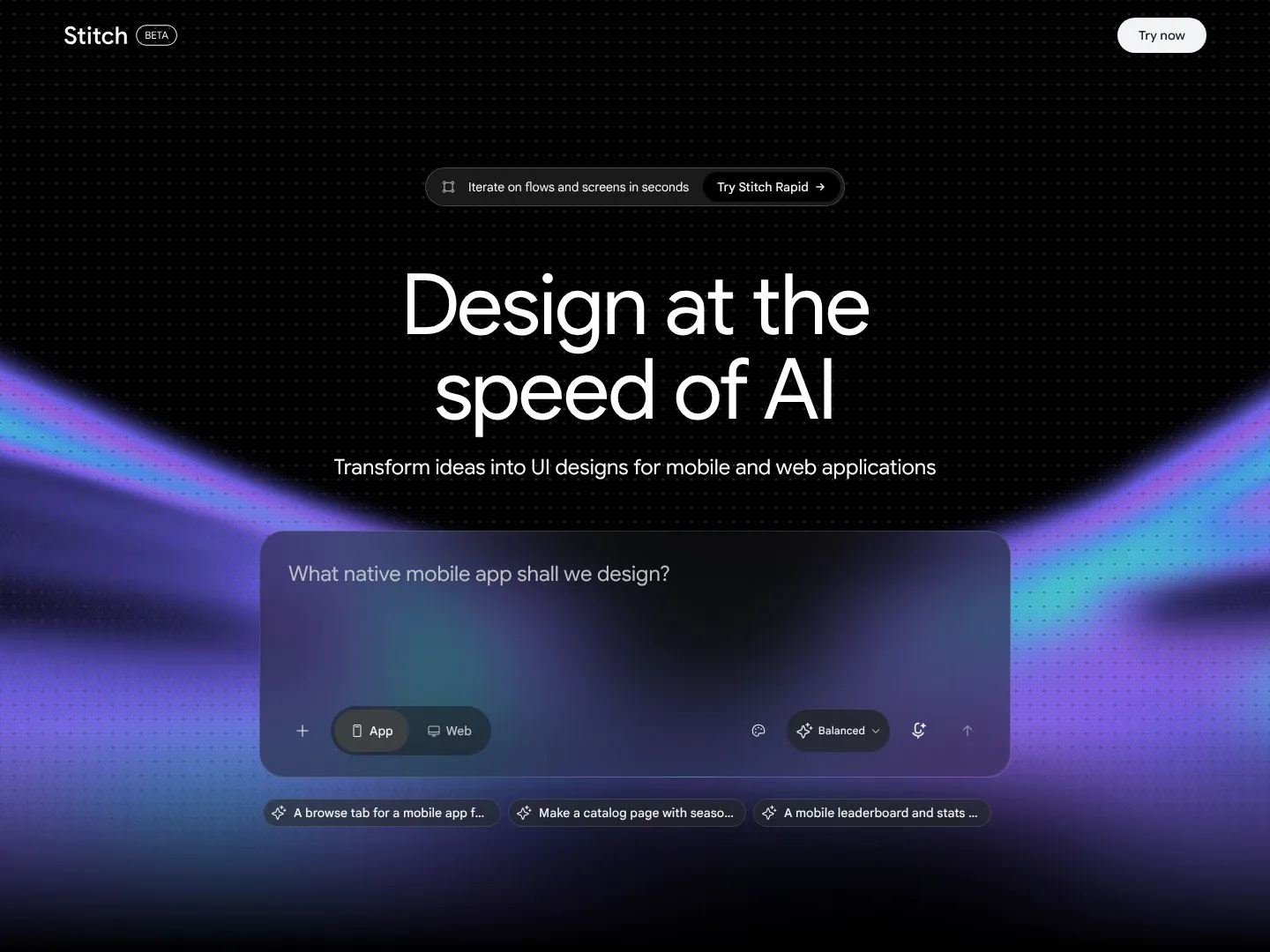
Of the AI UI tools we’ve researched, Google Stitch is the best free starting point for exploring designs. Just treat it as an experiment, not a tool to build a business on. It turns text, voice, sketches, screenshots and code into UI designs, clickable prototypes and frontend code for mobile and web apps. Everything happens on what Google calls an AI-native canvas.
Google itself calls the product “Stitch”, or “Stitch from Google Labs”; “Google Stitch” is simply the name most people search for. It launched in May 2025 on Gemini 2.5 Pro, added Gemini 3 in December 2025 and was redesigned in March 2026. The site’s social image still labels it “Stitch (Beta)”.
What designers can do with it
Stitch covers the early, messy part of UI work well: exploring directions, then handing them to Figma or code. Here’s what matters most to a designer.
- Prompt, sketch or screenshot to UI, the headline feature. You can describe a screen, including colour palettes and the experience you want, or upload a whiteboard sketch, screenshot or wireframe. Since March 2026 you can also start from a business goal, a feeling or examples. A design agent reasons across the project history and runs ideas in parallel.
- Multiple variants per prompt. Stitch generates several design directions at once. The SDK documentation mentions 1 to 5 variants per request.
- Voice and live mode, a nice extra. You can speak to the canvas for real-time critiques and request live changes. The agent can even interview you to design a landing page. Since May 2026 output streams straight onto the canvas.
- DESIGN.md design systems, more useful than it sounds. Stitch can extract a design system from any URL. DESIGN.md is an agent-friendly markdown file that carries your design rules between projects and other tools, and Google open-sourced the spec on 21 April 2026.
- Clickable prototypes. You can link screens, press Play to preview, and let Stitch suggest the next logical screen based on clicks. Google described prototypes as experimental at launch.
- Export to Figma and code. Paste to Figma has been there since launch. Code export covers HTML/CSS and unnamed framework templates, plus Google AI Studio and Antigravity.
- Publishing, a light extra. You can publish to the web with Netlify or share a link through Google AI Studio. Custom domains aren’t mentioned.
- Weak spot: no stated collaboration or backend. Google doesn’t describe team features for Stitch itself. For backend logic it points you to Antigravity.
Developers also get a Stitch MCP server and SDK, so AI agents and scripts can generate screens. The SDK sits in Google Labs’ GitHub organisation but describes itself as not an officially supported Google product.
Stitch Loop is a separate experiment that opened a waitlist on 18 November 2026. It’s a long-running product agent that connects to your codebase and live metrics through more than 180 integrations. It runs default loops for security, latency and accessibility, writes code in a cloud sandbox and opens GitHub pull requests. Nothing merges until you review it, and a Slack integration posts digests.
For designers, the accessibility loop is the part to watch, but it’s waitlist-only for now. Google gives eligible Google AI Ultra subscribers priority access.
How good is the design output?
Independent reviewers like Stitch for fast, polished starting points and agree it doesn’t replace a designer. None of them describe it as production-ready.
Zapier’s Miguel Rebelo (5 May 2026) finds it useful for quick starter designs and praises the export routes and DESIGN.md. He also says it ignores parts of prompts and that HTML export is only a scaffold. Tutorials Dojo’s Ostline Casao (updated 4 April 2026) likes the consistent styling across multiple screens and Figma export with Auto Layout. The review adds that vague prompts give generic output, the Figma export isn’t pixel-perfect and heatmaps were inconsistent.
The Register’s Simon Sharwood (19 March 2026) gives a mostly neutral summary of the March redesign. He mocks the “vibe design” branding and doubts Google’s claim that work takes minutes rather than days. The consistent theme: specific prompts get better results, and you’ll still finish the design yourself.
The real cost: what “free” means for Stitch
No Google page we checked on 22 November 2026 lists a price for Stitch, and Google gives no plans or limits. Its Google for Nonprofits help page says Google Labs offers these experimental capabilities “at no cost”. Google’s blog posts from May 2025 to November 2026 don’t mention a price, and Google’s AI plans page doesn’t mention Stitch.
Usage limits are the open question. Google publishes no generation counts or credit numbers, and the Stitch SDK only lists a rate-limit error without thresholds. Third-party figures don’t agree with each other:
- Zapier (May 2026) reports 400 credits a day while Stitch is in beta.
- Tutorials Dojo (April 2026) reports 350 Standard and 200 Experimental generations a month.
Neither figure is confirmed by Google, and both may be out of date. The in-app FAQ may say more, but it only loads in a browser. The only paid link on Google’s pages is priority access to the Stitch Loop waitlist for eligible Google AI Ultra subscribers. Google doesn’t give the Ultra price in that post.
Access is broad. Google said its May 2026 update was available to global users, and the Stitch Loop waitlist is open to all users globally. Eligible nonprofit staff can use Stitch signed in with their organisation’s Google Account. Google doesn’t publish a country list or an age requirement.
Our advice: use Stitch freely for exploration, but don’t plan a client deadline around it. Limits on an unpublished quota can change, and Google doesn’t state them. Export work you care about to Figma or DESIGN.md as you go, so it isn’t stuck in Stitch.
Where it falls short
The main weakness is uncertainty: no published limits, no stated terms for the long run and a beta label.
- No published usage limits. You can’t plan around a quota that Google doesn’t state, and third-party numbers conflict.
- Code is a starting point. Zapier calls the HTML export a scaffold, and Google doesn’t name the framework templates.
- Figma export isn’t pixel-perfect. Tutorials Dojo says so, and Google doesn’t say whether export varies by mode or model.
- Prompts get partly ignored. Zapier reports this, and Tutorials Dojo says vague prompts give generic output.
- Unclear editing and collaboration. Google doesn’t describe direct manual canvas editing or team features for Stitch.
- Gaps in the basics. Google doesn’t state a country list, an age rule, Figma import or custom domains.
Google Stitch vs Figma Make
Stitch suits free, fast exploration of UI directions, while Figma Make suits teams already paying for Figma. Figma Make is free on the Starter plan with 150 AI credits a day, up to 500 a month. A Professional Full seat costs $16 a month on annual billing, with 3,000 credits.
Figma Make starts from your existing Figma designs and builds functional prototypes and web apps with a built-in backend. Stitch is more about generating new screens and sending them out to Figma or code. Make can copy its output back into Figma as design layers, but only on paid plans, and its seat credits don’t roll over.
The cost picture differs too. Figma publishes its credit allowances, so you know where you stand, while Stitch has no published price or limits. If you live in Figma and need working prototypes, Make fits better. See our Figma Make review.
Should you use Google Stitch?
Yes, if you want to explore UI directions quickly without paying, or you start from sketches and screenshots. It also fits if you want to carry design rules between AI tools with DESIGN.md.
Not yet, if you need guaranteed usage limits for client work, production-ready code, or pixel-perfect Figma files.
How we reviewed Google Stitch
This review is based on research, not yet on our own hands-on test. In we checked the Stitch website, Google’s blog and developer posts about Stitch, the Google for Nonprofits help centre, the Stitch SDK repository and published reviews. Facts come from Google’s own pages, and where Google says nothing we say so.
Statements about output quality and usage limits summarise what independent reviewers report. The opinions are our editors’ judgement based on that research, not test results. Next, we’ll build the same three projects we use for every AI design tool (a SaaS dashboard, a mobile onboarding flow and a landing page) and add our scores. See how we test, or browse more AI design tools.
Sources we checked
- Stitch website (opens in new tab)
- Google blog: Stitch: a new way to design UIs (opens in new tab) (May 2025)
- More Google posts: Google’s 2025 developer keynote recap (opens in new tab), Stitch with Gemini 3 (opens in new tab) (December 2025)
- Stitch updates on Google’s blog: Stitch AI UI design update (opens in new tab) (March 2026), DESIGN.md (opens in new tab) (April 2026), Stitch updates (opens in new tab) (May 2026), Stitch Loop (opens in new tab) (November 2026)
- Google for Nonprofits: Stitch (opens in new tab)
- Stitch SDK (opens in new tab) (Google Labs on GitHub)
- Google Stitch review (opens in new tab) (Zapier)
- What Google Stitch actually does and where it falls short (opens in new tab) (Tutorials Dojo)
- Google Stitch vibe design update (opens in new tab) (The Register)
Alternatives to Google Stitch
See all →
Figma Make
Figma's prompt-to-app tool for prototypes and web apps

Magic Patterns
AI prototyping and UI design on an infinite canvas

Uizard
Browser-based AI mockup and prototyping tool

v0
Vercel's AI builder for React and Next.js apps
Frequently asked questions
Is Google Stitch free?
Yes, as far as Google's own pages show. Google publishes no price for Stitch, and its Google for Nonprofits help page says Google Labs offers these experimental capabilities at no cost. There's no paid Stitch plan on any Google page we checked.
Does Google Stitch have usage limits?
Google doesn't state any on its public pages, so check the in-app FAQ. Third parties report figures that conflict: Zapier says 400 credits a day, while Tutorials Dojo says 350 Standard and 200 Experimental generations a month.
Can Google Stitch export to Figma?
Yes. Stitch has had a Paste to Figma option since launch in May 2025, and Google's nonprofit help page confirms Figma export. Tutorials Dojo says the export uses Auto Layout but isn't pixel-perfect.
Can Google Stitch export code?
Yes. Google says Stitch exports frontend code, including HTML/CSS and popular framework templates, though it doesn't name the frameworks. You can also send screens to Google AI Studio or Antigravity, where you can connect backend logic.
What happened to Galileo AI?
Google hasn't said. On 22 November 2026, usegalileo.ai redirected to Stitch's website, but none of the Google pages we checked describe how Galileo AI and Stitch are related.
Google Stitch or Figma Make: which should designers use?
Stitch if you want free, fast UI exploration that you then take into Figma or code. Figma Make if your team already pays for Figma Full seats and wants to turn existing designs into working prototypes or web apps with a backend.