Sketch review
Sketch reviewed today: what the Mac design app still does well, what's missing compared with Figma, pricing and which designers should still choose it.
 Sketch Focus Editorial Team
Research-based reviewNot yet tested hands-on · facts checked Nov 26, 2026How we test
From $12/mo
No free plan
Our take so far
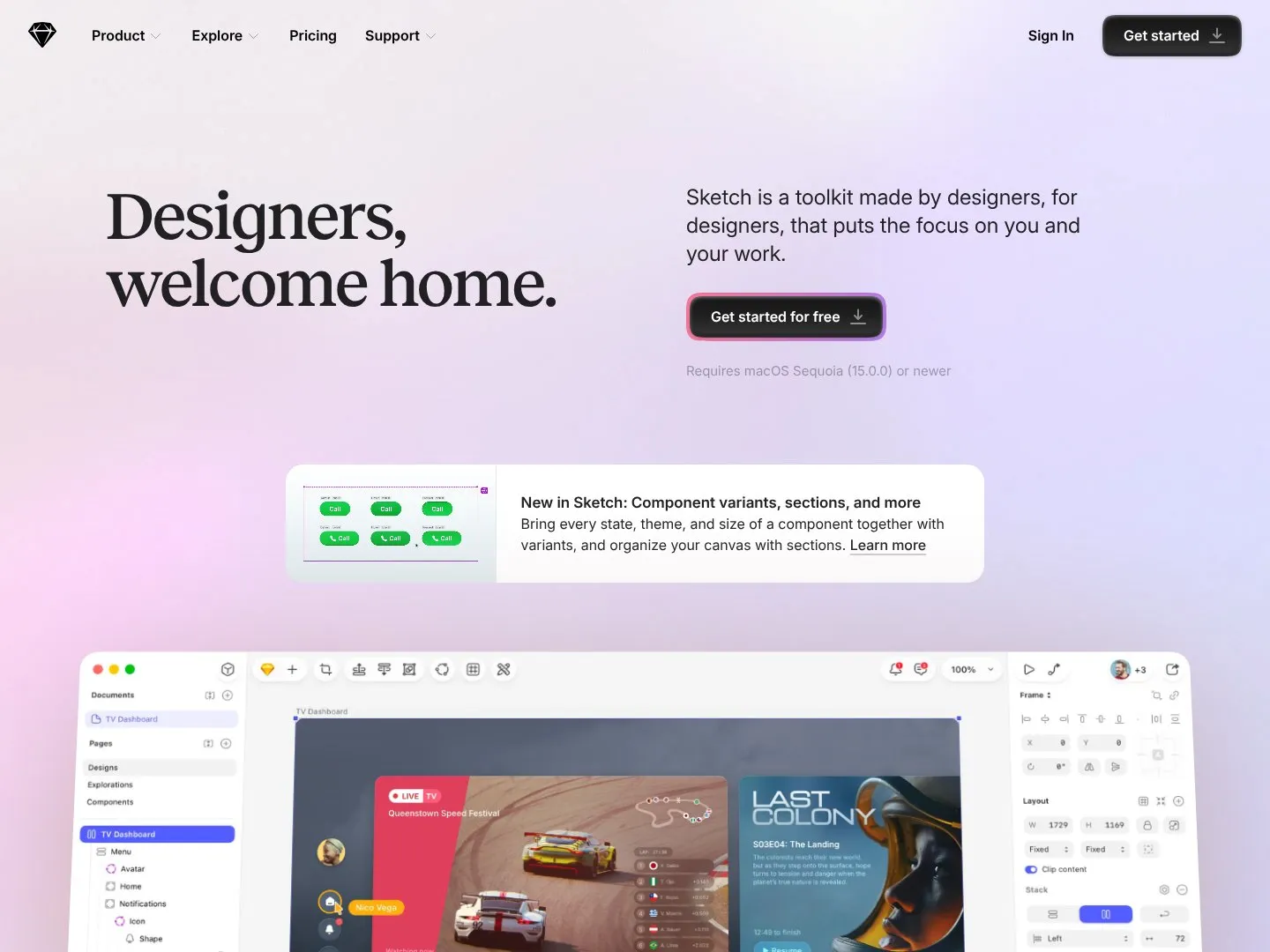
Sketch is still a sound choice for designers who work only on Macs and want a native app, offline work and free browser handoff, plus the option of a one-off licence. For any team where someone who edits uses Windows, or where live collaboration matters most, Figma is the safer pick.
Sketch
At a glance
Not scored yet. We only score tools after hands-on testing.
- What it is
- Native Mac design app with browser handoff
- Free plan
- No
- Paid from
- $12/mo
- Platform
- Mac app (macOS Sequoia 15 or newer)
- Editing
- Mac app only; browser for viewing
- Figma import
- Opens .fig files (website version)
- Handoff
- Browser inspect, free for Viewers
- AI
- Free MCP server for your own AI client
- File format
- Open, documented JSON format
- Made by
- Sketch
Sketch pricing
Standard
For solo designers and small Mac teams, billed yearly
$12/user/mo
- Mac, web and iPhone/iPad apps
- Real-time collaboration in the Mac app
- 50GB storage per Editor
- Free Viewers, handoff and MCP server
Professional
For teams that need admin controls, billed yearly
$24/user/mo
- Everything in Standard
- SSO
- Project archiving
- Permissions groups
Enterprise
For larger organisations, billed yearly
$44/user/mo
- Unlimited storage
- SCIM and BYOK encryption
- Dedicated support for 15+ Editors
- Custom security reviews and terms
Private Cloud
For teams that need isolated hosting
Custom
- Isolated AWS environment run by Sketch
- US or EU hosting location
- Unlimited Workspaces and storage
- One-time setup fee
Priced per Editor, with free unlimited Viewers and Guests. Headline prices are billed yearly and exclude VAT; a one-off Mac-only licence costs $120 per seat and includes a year of updates. Prices from sketch.com, checked Nov 26, 2026. Plans change often, so confirm before you buy.
What Sketch is
Sketch is still a good design tool for one kind of designer: someone who works on a Mac, likes a native app and doesn’t need to edit alongside Windows users. For mixed teams, its Mac-only editing is the deciding weakness. Sketch is a native macOS app for UI design, prototyping and illustration. A browser-based web app handles sharing, comments, inspection and developer handoff, and an iPhone and iPad app lets you view documents and mirror designs from your Mac.
The company is still shipping. Its latest release, Ghent (17 November 2026), renamed Symbols to components and added component variants. Sketch describes no built-in generative AI. Instead, a free local MCP server lets AI clients you already use, such as Claude Code or Cursor, read and edit your designs.
What designers can do with it
The native Mac app and the free browser handoff are why designers still pick Sketch. Ranked by how much each matters to a designer:
- Design in a native Mac app that works offline (headline feature). All editing happens in the Mac app, and you can work offline: real-time collaboration syncs when you reconnect. The Mac-only licence also covers offline, private work with files saved locally.
- Components, variants and libraries (headline feature). Ghent brought component variants for states and themes such as hover, dark and light, plus an Assets view for components, styles, variables and templates. You also get shared Libraries, Color Variables, layer and text styles, and Stacks layout with min/max and relative sizing (added in Florence, 2026.3).
- Free developer handoff in the browser (headline feature). Developers don’t need a Mac or the app. Viewers are free and unlimited, and can inspect measurements, copy CSS, download assets and see component variant properties. Color Variables export as design tokens in HEX, RGB, HSL and Swift or Objective-C formats.
- Prototyping that covers the common cases (useful). Sketch’s docs list links and hotspots, overlays for menus and dialogs, multiple start points, scroll areas with fixed elements and animations. You can preview prototypes in the Mac app, the browser or the iPhone and iPad app.
- Opening Figma files (useful, with limits). You can open a .fig file directly in the Mac app. It isn’t available in the Mac App Store version, and Sketch doesn’t say what the import keeps.
- AI through your own tools (nice extra, early). The MCP server is off by default and runs locally. Named clients include Claude Code, Claude Desktop, Codex, VS Code with GitHub Copilot and Cursor. It reads layers, components, styles and comments, and can run scripts to create or edit designs. It isn’t in the Mac App Store version either.
- An open file format (nice extra). A .sketch file is a ZIP of JSON data and assets, with a public JSON Schema. That matters if your team builds its own tooling or wants files that other software can read.
How good is the design output?
Sketch doesn’t generate designs, so the question is how the app holds up in daily work. Independent views are mostly positive about the app and negative about its platform limits. Capterra reviewers rate Sketch 4.6 out of 5 from 810 reviews (checked 22 November 2026). They praise the clean, easy-to-learn interface, symbols for design systems and the large plugin ecosystem.
The same reviewers often mention Mac-only availability, slowdowns with large files and weaker collaboration, and several say they moved to Figma. A DEV Community author who ran Sketch and Figma side by side in a six-person startup (24 April 2026) liked the free browser inspector and nested symbol overrides. The same author reported a sync conflict that overwrote a colleague’s work and found Mac-only editing disqualifying for their team.
Setapp’s Figma-alternatives roundup (updated 16 September 2026) says Sketch feels more natural on a Mac and works offline by default. It also finds Sketch’s web version less intuitive than Figma’s. Taken together, the picture is consistent: people who like Sketch like the Mac app, and people who leave it leave because of the platform and collaboration.
The real cost: per Editor, with free Viewers
Sketch charges for each person who edits, and everyone else is free. We checked these prices on 26 November 2026. All are in USD, exclude VAT and apply to purchases on sketch.com.
- Standard: $12 per Editor a month, billed yearly. You get one Workspace, 50GB of storage per Editor, unlimited documents, the Mac, web and iPhone/iPad apps, real-time collaboration and version history.
- Professional: $24 per Editor a month, billed yearly. It adds SSO, project archiving and permissions groups. An older support page still calls this the Business plan.
- Enterprise: $44 per Editor a month, billed yearly. It adds unlimited storage, SCIM, BYOK encryption and, for teams of 15 or more Editors, dedicated support.
- Private Cloud: priced on request, with a one-time setup fee. Sketch runs an isolated AWS environment for you in the US or EU.
- Mac-only licence: $120 per seat, paid once, including one year of updates. Sketch says the licence is “yours to keep, forever”. It leaves out collaboration, online sharing, iOS previewing and the free trial.
The pricing page shows yearly billing by default. Only Standard can be billed monthly, at $14 per Editor a month; Professional and Enterprise are yearly only. Older support pages quote different Standard prices, so we treat the pricing page as current.
There are no AI credits. The MCP server is free with every subscription and with the Mac-only licence; any AI costs come from the provider you connect. One Editor seat is always billed for an active Workspace. Standard and Mac-only purchases need a credit or debit card.
Discounts are clear. Students and teachers get a free education Workspace with one Editor seat, and non-profits get 50% off a yearly Standard plan or a Mac-only licence. The free trial lasts 30 days with no credit card. If you cancel, documents stay read-only and downloadable for 90 days before deletion.
Our advice: start the 30-day trial before you pay. If you work alone and offline, the $120 Mac-only licence is the cheapest route in year one. If you share work with clients or developers, Standard billed yearly is the plan to price, because free Viewers can comment and inspect without a seat.
Where it falls short
Editing needs a Mac, and that rules Sketch out for many teams. The Mac app runs only on macOS, isn’t supported in virtual machines, and the current release needs macOS Sequoia 15 or newer. Anyone on Windows or an older Mac can only view, comment and inspect.
- Collaboration has conditions. Real-time editing works only in the Mac app and only for documents saved in a Sketch Workspace, not Dropbox or other storage. Offline edits to objects someone else deleted can’t be applied.
- The Mac App Store version is missing features. The Figma importer and the MCP server only come with the version downloaded from Sketch’s website.
- Figma import is unclear, and export to Figma isn’t documented. Sketch doesn’t say what a .fig import preserves, and its export docs cover only image, vector and code formats.
- No built-in AI. If you want AI help, you set up your own client and pay its provider. That suits developers more than most designers.
- Plan limits. Standard and Professional allow one Workspace and 50GB per Editor.
- Limited import of other formats. AI and PSD files come in as a single flattened layer, and EPS is no longer supported.
- Older help pages show old prices. Some support pages still quote earlier Standard prices; the pricing page is the one to trust.
Sketch vs Figma
Figma is the better default for most teams; Sketch is the better fit for Mac-only designers who want a native, offline app. Figma runs in the browser, so editing doesn’t depend on the computer you use. Sketch keeps editing on the Mac and puts viewing, comments and inspection in the browser.
You can move files between them in both directions. Figma imports .sketch files, and Sketch opens .fig files, though Sketch doesn’t say what its import keeps. Sketch’s free Viewers, free MCP server and one-off licence keep costs predictable for small Mac teams. See our Figma review for its plans and AI features.
Should you use Sketch?
Yes, if everyone who edits works on a Mac running Sequoia or newer. It also suits you if you want a native app that works offline, or you’d rather pay once for a licence than subscribe.
Not yet, if anyone who designs uses Windows, your team depends on live collaboration across platforms, or you want built-in AI that generates designs without your own setup.
How we reviewed Sketch
This review is based on research, not yet on our own hands-on test. In we checked Sketch’s pricing page, documentation, support articles and changelog, plus published independent reviews. Prices, limits and features come from Sketch’s own pages, and we’ve flagged where those pages disagree. Statements about everyday use summarise what independent reviewers report; the opinions are our editors’ judgement based on that research.
Next, we’ll design a real product project in Sketch, from components to a shared prototype and developer handoff, and add our scores. See how we test.
Sources we checked
- Sketch pricing (opens in new tab) and Standard plan (opens in new tab)
- Sketch support: Standard benefits (opens in new tab) (appears out of date), changes to pricing (opens in new tab), Mac, web and iOS differences (opens in new tab)
- Sketch docs: Editors, Viewers and Guests (opens in new tab), real-time collaboration (opens in new tab), prototyping (opens in new tab), developer handoff (opens in new tab), importing (opens in new tab), exporting (opens in new tab), MCP server (opens in new tab)
- Sketch and AI (opens in new tab), Import your Figma files (opens in new tab) and Ghent changelog (opens in new tab)
- Sketch file format (opens in new tab)
- Sketch on Capterra (opens in new tab)
- Figma vs Sketch in 2026 (opens in new tab) (DEV Community)
- Figma alternatives for Mac (opens in new tab) (Setapp)
Alternatives to Sketch
See all →


Update history
How we keep pages current- Prices re-checked on sketch.com: Standard is $14 a month billed monthly, and Enterprise is confirmed at $44 per Editor a month, billed yearly.
First published
Frequently asked questions
Is Sketch free?
No. Sketch has no free plan, but it offers a 30-day free trial with no credit card. Viewers and Guests are free and unlimited, and students and teachers can get a free education Workspace with one Editor seat.
How much does Sketch cost?
On 26 November 2026, Standard cost $12 per Editor a month billed yearly or $14 billed monthly. Professional cost $24 and Enterprise $44, both billed yearly only. Private Cloud is priced on request, and a Mac-only licence costs $120 per seat as a one-off payment with a year of updates. Prices are in USD and exclude VAT.
Does Sketch only work on Mac?
For editing, yes. The Mac app runs on macOS only (Sequoia 15 or newer for the current release) and isn't supported in virtual machines. Anyone can view, comment and inspect in a browser, and subscribers can view documents and test prototypes in the iPhone and iPad app.
Can Sketch open Figma files?
Yes. You can open a .fig file in the Mac app, but the importer isn't in the Mac App Store version, so you need the version from Sketch's website. Sketch doesn't say what the import preserves, and its docs don't mention exporting to Figma.
Is Sketch still worth it in 2026?
Yes, if everyone who designs on your team uses a Mac and you value a native app, offline work and free browser handoff. Sketch is still shipping: its Ghent release on 17 November 2026 added component variants. If anyone who edits uses Windows, it isn't an option for them.
Sketch or Figma: which should designers use?
Figma for most mixed teams, because it runs in the browser and editing doesn't depend on a Mac. Sketch suits Mac-only designers and small teams who want a native app, offline work and the choice of a one-off licence. Developers don't need a Mac for either: Sketch's browser inspector is free for Viewers.