Framer review
Framer reviewed for designers: what Framer AI can build, what the free plan allows, how site pricing works, and when Webflow is the better pick.
 Sketch Focus Editorial TeamLast updated
Research-based reviewNot yet tested hands-on · facts checked Nov 22, 2026How we test
From $10/mo
Free plan available
Our take so far
Framer is the website builder we'd point most designers to for portfolios and marketing sites: the canvas works like a design tool and the AI agents build editable pages, not locked templates. The catch is cost creep, with site plans, editor seats and AI credits billed separately, and no clear answer on code export.

Framer
At a glance
Not scored yet. We only score tools after hands-on testing.
- What it is
- Visual website builder with AI agents, CMS and hosting
- Free plan
- Yes
- Paid from
- $10/mo
- Builds
- Responsive websites, no native apps
- AI
- Framer Agents (credit-based)
- Design import
- Figma plugin (copy and paste)
- Backend
- Built-in CMS only
- Export
- Unclear: Framer's help articles disagree
- Hosting
- Included, custom domain on paid plans
- Made by
- Framer
Framer pricing
Free
For trying it out and non-commercial sites
$0/mo
- 500 AI credits (period unclear, see review)
- Framer subdomain, no custom domain
- 5 GB bandwidth
- Framer says it suits non-commercial use
Basic
For portfolios and small sites, billed yearly
$10/mo
- 1,000 AI credits a month
- Custom domain, 30 pages
- 2 CMS collections, 1,000 items
- 50 GB bandwidth
Pro
For client and marketing sites, billed yearly
$30/mo
- 3,000 AI credits a month
- 150 pages, 10 CMS collections
- Staging and branching with previews
- 100 GB bandwidth, 300+ locations
Enterprise
For large teams
Custom
- Unlimited editors
- SSO and SCIM
- Advanced hosting included
- Credits with volume discounts
Prices are per site and billed yearly (Basic is $10 a month, $120 a year). Editor seats are billed separately, and AI agent use is metered in credits pooled across the workspace. Prices from framer.com, checked Nov 22, 2026. Plans change often, so confirm before you buy.
What Framer is
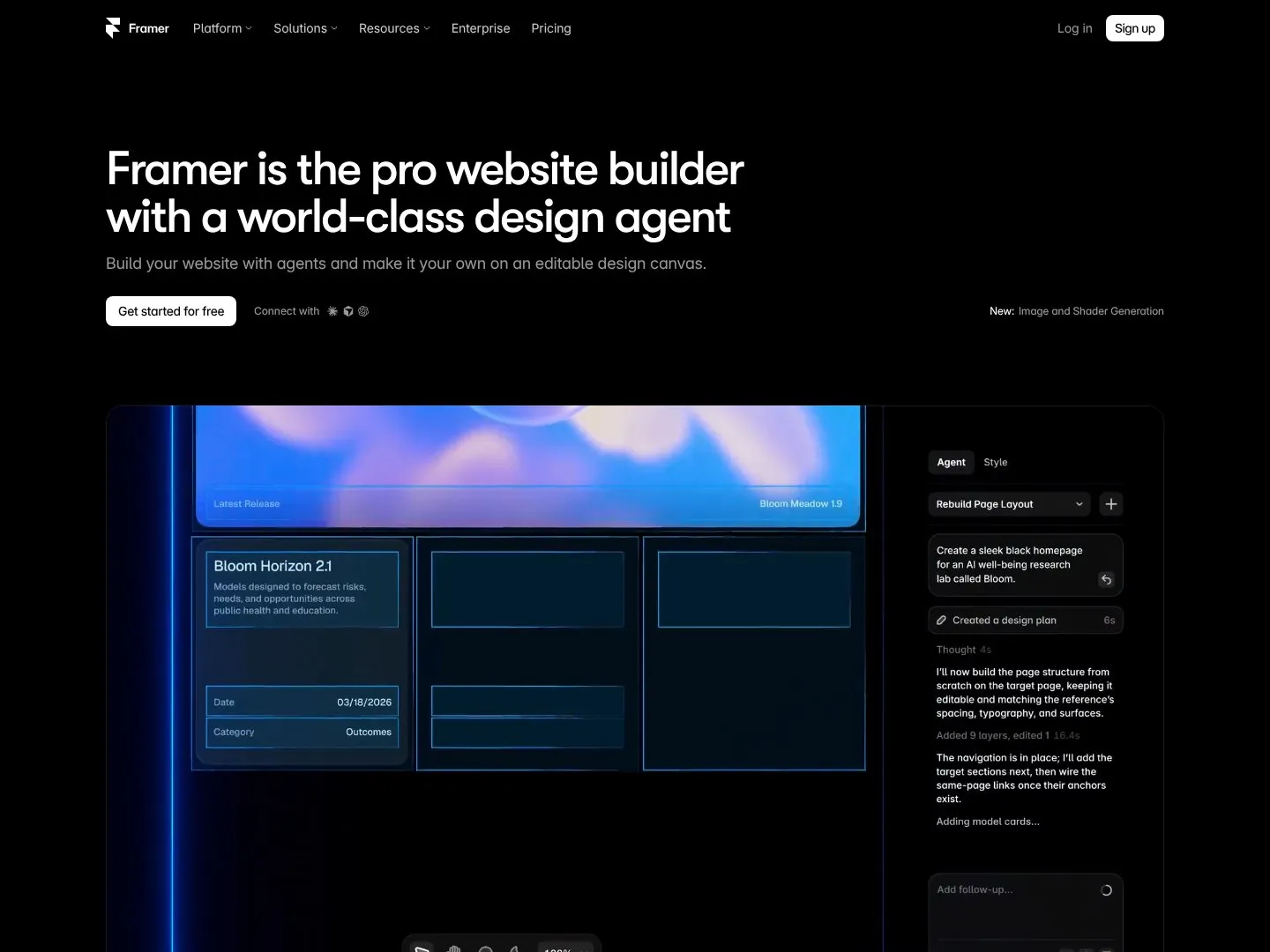
Framer is the website builder that feels closest to a design tool. It’s the one we’d look at first to ship your own portfolio or a client’s marketing site without a developer. You design on a freeform canvas with responsive breakpoints, fill a built-in CMS, and publish to Framer’s hosting. Framer Agents, its AI tools, can also build and edit pages from a prompt, a screenshot or an image you drop into the chat.
It is a website builder, not an app platform. Framer says it produces “a live React-based website”, but its pages don’t mention user accounts, databases or sign-in. If your project needs those, an AI app builder like Lovable is a better fit.
What designers can do with it
The canvas is why designers choose Framer; the AI is a fast way to get a first draft onto it. Ranked by how much each matters to a designer:
- A canvas that works like a design tool (headline feature). You lay out pages freely, set responsive breakpoints, build reusable components with state changes and collaborate live. Content editors get on-page editing, so a client can change copy without touching your layout.
- Framer Agents build pages from prompts and screenshots (headline feature, metered). Framer says the agents generate pages from scratch, build sections, handle breakpoints, add effects and write code components. Image and shader generation arrived on 12 November 2026. Every agent request uses credits.
- Figma import by copy and paste (useful extra). The official “Figma to HTML with Framer” plugin copies selected layers, and they stay editable on the Framer canvas. Framer warns that complex structures may need clean-up and that you should check fonts and assets. Export back to Figma isn’t mentioned on the Framer pages we checked. Our Figma to Framer guide covers the import and what to rebuild afterwards.
- Agents that learn your style (nice extra). Agents can tidy colour and text styles, and “Skills” (added in September 2026) teach them your design preferences.
- CMS and localisation (paid limits apply). Basic includes 2 CMS collections and 1,000 items, Pro 10 collections and 2,500 items. Each extra language costs $20 a month on yearly billing; AI translation uses credits, while translating by hand doesn’t.
- Staging, branching and A/B testing (Pro only). Pro adds staging, branching with previews and redirects. A/B testing comes through the Convert add-on, at $50 per 500,000 events.
- Bring your own AI (nice extra). The free Framer MCP server, still in preview, connects tools like Claude, ChatGPT and Cursor to your project. Framer’s blog says this doesn’t draw on Framer credits.
- Weak spot: websites only. Layouts are responsive across desktop, tablet and mobile, but Framer doesn’t mention native apps or a back end beyond the CMS.
How good is the design output?
Independent reviewers rate Framer’s design control highly; their doubts are about the AI agent’s workflow and the bill, not the look of the sites. None of what follows is our own test.
MakerStack (30 June 2026) calls the free plan genuinely usable, with strong design output, and likes the Git-style branching. AI Tools Police (updated 9 September 2026) rates Framer’s design control highest among the AI site builders it covered and values the Figma import. G2 reviewers, as summarised by Willo (a competitor’s blog), praise going from design to published site on one canvas and how fast the sites load.
The criticism centres on the agent. In a design critique on the Pratt Institute IXD blog, Chanel Feng points out that the agent gives no clear signal when a task is done. She also describes a vague credit balance with no estimate per task, tasks that stop when credits run out, and undo history that clears on reload. For designers, that means the agent is best used for first drafts, with detailed work done by hand on the canvas.
The real cost: site plans, editor seats and AI credits
Framer is cheap for one designer with one site, and the bill grows with every extra site, editor and AI request, because each is charged separately. These prices were checked on 22 November 2026, in USD before sales tax.
- Free: $0, with a Framer subdomain, 5 GB bandwidth and 500 AI credits.
- Basic: $10 a month billed yearly ($120 a year). You get 1,000 AI credits a month, a custom domain, 30 pages, 2 CMS collections with 1,000 items and 50 GB bandwidth.
- Pro: $30 a month billed yearly ($360 a year). You get 3,000 credits a month, 150 pages, 10 collections with 2,500 items, 100 GB bandwidth, staging and branching.
- Enterprise: custom pricing, unlimited editors, SSO and “credits with volume discounts”.
On monthly billing, Basic is $15 and Pro $45, so yearly billing is a third cheaper. Each site needs its own plan. Yearly plans also include a free domain for the first year through Hover, but claiming it cancels your refund option.
Seats are a separate line. The workspace owner and viewers are free; each additional editor costs $20 a month and each content editor $10 a month on yearly billing, or $30 and $15 on monthly billing. Editors are always billed monthly, and Basic and Pro cap you at 10 editor seats.
Credits are pooled across the workspace, so two Basic sites give you 2,000 credits a month. Framer’s June 2026 blog lists typical costs on the base model. A landing page takes about 300 credits, making a page responsive 150, a large edit 100 and a small edit 50. On those figures, Basic’s 1,000 credits cover roughly three landing pages, or about 20 small edits.
A few rules matter once you start spending:
- Credits don’t roll over, and choosing a stronger model or Fast Mode can raise the cost.
- You get a warning at 80% of your allowance. At 100%, credit-using features pause, though running requests finish.
- More credits come through the AI Credits add-on, and one-time top-ups (which need that add-on) expire at the end of the month you buy them.
- Marking a result as bad refunds its credits, according to Framer’s blog.
Our advice: start on Free to see whether the canvas suits you, then move to Basic billed yearly for a portfolio. Use the agent for first drafts and do small visual changes by hand, since manual design work doesn’t use credits. Pick Pro only when you need staging, more pages or a bigger CMS.
Where it falls short
The biggest problem is that you can’t be sure you can take your site with you. One Framer help article says there is no HTML export for self-hosting and that Framer “may not be the right solution” if you need source code. Another, updated the same day, says every site can be downloaded as HTML, CSS and JavaScript. Until Framer settles it, treat export as unresolved.
- Costs stack up. MakerStack warns that per-site and per-editor pricing adds up for larger teams, and AI Tools Police calls the stacked charges hard to predict.
- The free credit allowance is unclear. The pricing page says 500 credits a month, the launch blog says 500 a day, and the help centre gives no period.
- Plan limits look odd. The pricing FAQ lists 10 CMS collections and 1,000 pages for Free, more than Basic’s 2 collections and 30 pages.
- Figma import isn’t one click. Framer itself says imports may need clean-up of fonts, assets, spacing and responsive behaviour.
- Team size is capped. Basic and Pro stop at 10 editor seats; more needs Enterprise.
Framer vs Webflow
Framer is the quicker, cheaper route for a designer; Webflow gives more structure for large CMS sites and client work. Framer Basic costs $10 a month billed yearly and includes a small CMS. Webflow Basic costs $15 billed yearly with no CMS, and its Premium plan costs $25 for up to 20,000 CMS items.
Webflow also lists code export on its paid Workspace plans, while Framer’s help articles contradict each other. If you’re building your own portfolio, start with Framer. If you’re building a content-heavy site for a client, read our Webflow review, or the full Framer vs Webflow comparison.
Should you use Framer?
Yes, if you want to design and publish a portfolio or marketing site on a canvas that feels like a design tool, and Framer hosting suits you.
Not yet, if you need guaranteed code export, a back end with user accounts, more than 10 editors without an Enterprise contract, or a predictable AI bill.
How we reviewed Framer
This review is based on research, not yet on our own hands-on test. In we checked Framer’s pricing page, help centre, blog and product updates, plus published independent reviews. Prices, limits and features come from Framer’s own pages, and we’ve flagged where those pages disagree. Statements about design quality summarise what independent reviewers report; the opinions are our editors’ judgement based on that research.
Next, we’ll build the same three projects we use for every tool in this hub (a SaaS dashboard, a mobile onboarding flow and a landing page) and add our scores. See how we test.
Sources we checked
- Framer pricing (opens in new tab)
- Framer help: AI credits and Agents pricing (opens in new tab), subscriptions and charges (opens in new tab), choosing a model (opens in new tab), export to HTML (opens in new tab), porting your data (opens in new tab), custom domains (opens in new tab), Framer MCP (opens in new tab)
- AI credits, simpler plans and lower prices (opens in new tab) (Framer blog, 16 June 2026)
- Figma to HTML with Framer (opens in new tab) and Framer updates (opens in new tab)
- Framer review (opens in new tab) (MakerStack)
- Framer review (opens in new tab) (AI Tools Police)
- Design critique: Framer’s AI agent (opens in new tab) (Pratt Institute IXD blog)
- Framer review (opens in new tab) (Willo, a competitor’s blog)
Framer compared
Alternatives to Framer
See all →


Frequently asked questions
Is Framer free?
Yes. The Free plan costs $0 and gives you a Framer subdomain, 5 GB of bandwidth and 500 AI credits, though Framer's pricing page says per month and its June 2026 launch blog says per day. You can't connect a custom domain, and Framer says the Free plan is meant for non-commercial use.
How much does Framer cost?
Basic costs $10 a month and Pro $30 a month when billed yearly ($120 and $360 a year), and Enterprise is priced on request. Extra editors cost $20 a month and content editors $10 a month on yearly billing. Prices are per site in USD, with sales tax added at checkout, as checked on 22 November 2026.
How do Framer AI credits work?
Each paid site plan adds credits to a pool shared by the whole workspace: 1,000 a month on Basic and 3,000 on Pro. Agent chat, Workshop chat and AI translations use them, and Framer's typical costs are about 300 credits for a landing page and 50 for a small edit. Credits don't roll over, and credit-using features pause when you reach the limit.
Can you use a custom domain on Framer?
Yes, on Basic, Pro or Enterprise. The Free plan only publishes to a Framer subdomain such as framer.website. Yearly plans include a free domain for the first year through Hover, but redeeming it means you give up the refund option.
Can you export code from Framer?
Framer's own help articles disagree. One says there is no HTML export for self-hosting, while another, updated the same day, says you can download any site as HTML, CSS and JavaScript and move it to another host. CMS content can be exported to CSV or JSON through plugins.
Framer or Webflow: which is better for designers?
Framer, for most designers building a portfolio or marketing site: the canvas feels like a design tool, and Basic with a small CMS costs $10 a month billed yearly. Webflow is the better pick for CMS-heavy client sites, client-site workflows and a documented code export on paid workspace plans, though that export leaves out CMS content.