Penpot review
Penpot reviewed for product designers: what the open-source design tool does well, what's still missing compared with Figma, pricing and who should switch.
 Sketch Focus Editorial TeamLast updated
Research-based reviewNot yet tested hands-on · facts checked Nov 22, 2026How we test
From $7/mo
Free plan available
Our take so far
Penpot is the open-source Figma alternative we'd look at first: the free cloud plan is fully featured, you can self-host it, and one team comparing the two says it handles design tokens much better. It can't replace Figma for every team yet, because users report lag on large files, the Figma import is a one-off migration, and there's no built-in AI.

Penpot
At a glance
Not scored yet. We only score tools after hands-on testing.
- What it is
- Open-source design and prototyping tool you can self-host
- Free plan
- Yes
- Paid from
- $7/mo
- Licence
- Open source (MPL-2.0)
- Hosting
- Penpot cloud or self-hosted
- Figma import
- Penpot Exporter plugin, one-off
- Dev handoff
- Inspect tab: SVG, HTML and CSS
- File format
- .penpot (JSON and assets in a ZIP)
- AI
- MCP server with your own AI agent
- Made by
- Kaleidos
Penpot pricing
Professional (cloud)
For freelancers and small teams
$0/mo
- Up to 8 team members, unlimited viewers
- 10GB storage, no file limits
- 7 days of version history
- All design and prototyping features
Unlimited (cloud)
For growing teams
$7/seat/mo
- Capped at $175 a month
- Unlimited team size, 25GB storage
- 30 days of version history
- 14-day free trial
Enterprise (cloud)
For organisations that need governance
$25/seat/mo
- Unlimited storage, 90-day history
- SSO and centralised admin
- Team permissions
- 14-day free trial
Private Server (cloud)
For dedicated hosting, $50k a year
Custom
- Dedicated infrastructure
- Choice of hosting region
- IP whitelisting
- Enterprise-grade support
Professional (self-host)
For teams that run their own servers
$0/mo
- Unlimited users, teams and files
- Needs a Linux server and Docker
- Community support only
- Full control over your data
Enterprise (self-host)
For self-hosting organisations
$25/seat/mo
- Starting at $950 a month
- 180 days of version history
- Admin console, multiple organisations
- SSO and identity governance
Paid cloud plans are priced per editor or member a month in USD, and Penpot doesn't say whether billing is monthly or annual. Unlimited is capped at $175 a month per team, and there are no AI credits. Prices from penpot.app, checked Nov 22, 2026. Plans change often, so confirm before you buy.
What Penpot is
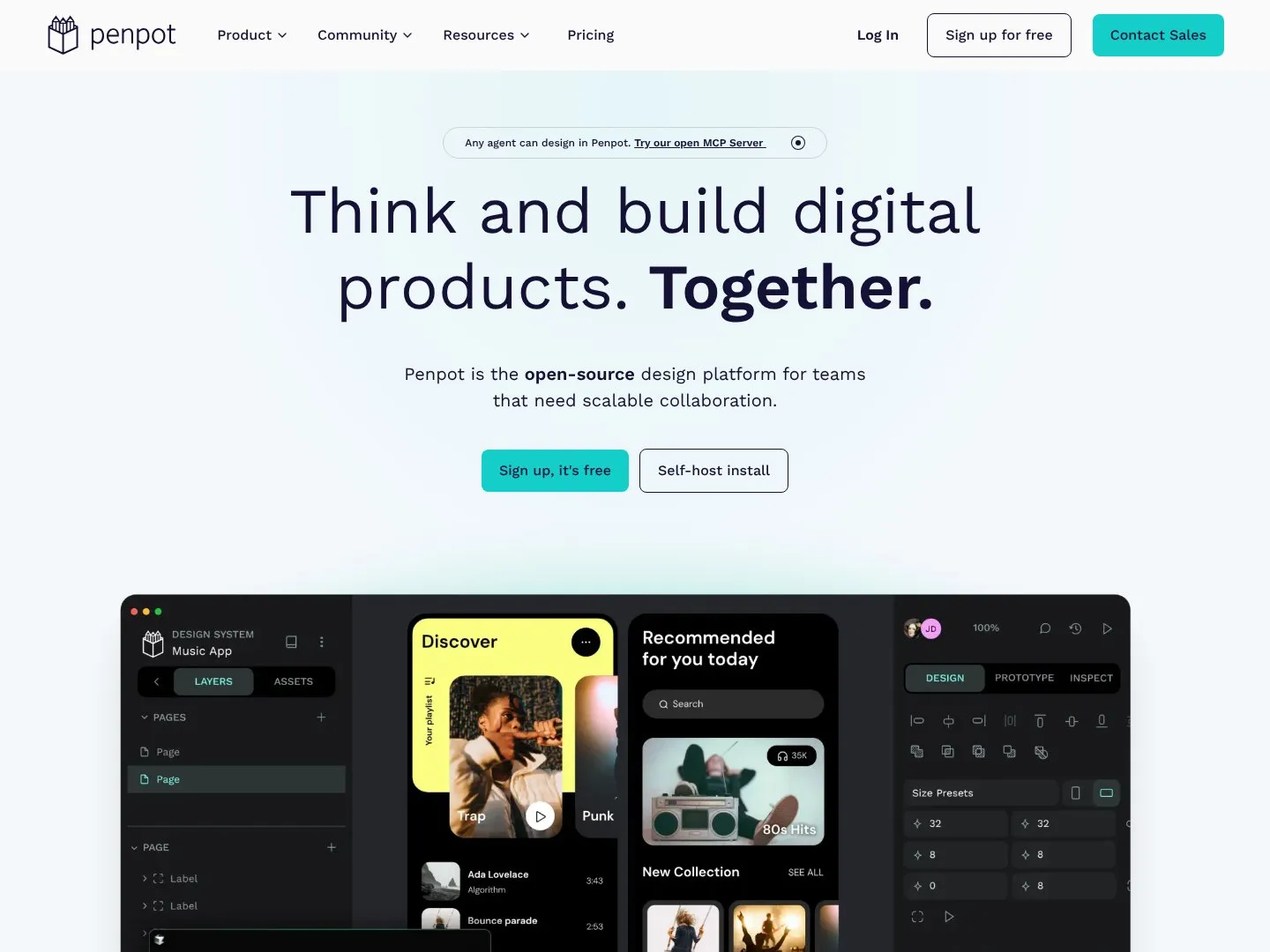
Penpot is the strongest case for leaving Figma if you care about open source, self-hosting or cost, but it isn’t a like-for-like swap yet. It’s a browser-based design and prototyping tool released under the MPL-2.0 open-source licence. It’s built on open standards (SVG, CSS, HTML and JSON), and you can use Penpot’s cloud or run it on your own servers.
Penpot is made by Kaleidos. The latest release when we checked was 2.19, from 28 October 2026. It has no AI credit system: AI work runs through a free MCP server with the AI agent and model you choose. For a designer, the practical difference from Figma is ownership: your files sit in an open format, on Penpot’s cloud or on servers you control.
What designers can do with it
Penpot covers the core of a product designer’s day, and its layout and token tools are where it stands out. Ranked by how much each matters to a designer:
- Flex and Grid layouts that match CSS (headline feature). Flex Layout is based on CSS Flexbox and Grid Layout on CSS Grid. For designers who hand off to front-end developers, that means your layout settings follow the same model developers use in CSS.
- Design tokens (headline feature). Tokens follow the W3C design tokens draft format and support aliases, maths, sets and multidimensional themes. Version 2.19 added sharing tokens from a library, and you can import and export them.
- Components, variants and shared libraries (headline feature). The building blocks of a design system are all there. Hack Design’s December 2025 review says Penpot has no variants, but Penpot’s current help centre documents them.
- Inspect tab for developers (useful extra). Anyone viewing a file can check distances and properties, copy CSS and see SVG and HTML markup. Penpot says code styles are “currently CSS only”.
- Prototyping (useful extra). You can add interactions, overlays, animations such as dissolve, slide and push, multiple flows and fixed elements on scroll.
- Collaboration (useful extra). Multiplayer editing, comments, team roles and invite links work in the browser.
- AI through MCP (nice extra, bring your own). The Penpot MCP server lets clients such as Cursor or Claude Code create screens from your design system, generate variants and tokens, or write HTML and CSS. The server is free; you pay your AI provider.
- Plugins (weak spot). You install plugins from Penpot Hub or by URL, and you can build your own. Hack Design notes the plugin ecosystem is still small.
How good is the design output?
Reviewers like Penpot’s approach and its handoff tools; users’ main complaint is speed on large files. None of what follows is our own test.
TechRadar’s July 2024 review called Penpot an excellent browser-based design environment for designers and developers. Its main criticism was unpublished pricing; Penpot now lists its prices publicly. Hack Design (December 2025) praised the open-source model, self-hosting, SVG-native files and built-in CSS inspection. It also noted lag on large files and imperfect Figma migration.
Users on the Penpot Community forum say performance is the big gap. One team that compared self-hosted Penpot with Figma in April 2026 reported slow rendering, laggy real-time collaboration and missing features. The same team said Penpot handles design tokens much better. In a long-running thread on performance, a February 2026 reply says the new rendering engine is significantly faster but not yet at Figma’s speed.
On G2, Penpot scores 4.5 out of 5, but from only 10 reviews when we checked, which is too few to lean on.
The real cost: free seats, editor caps and no AI credits
Penpot is free for most small teams, and its paid plans are cheap next to Figma’s seat prices. The prices below were checked on 22 November 2026 and are in USD. Penpot’s pricing page has two tabs: one for its cloud and one for self-hosting.
Cloud plans:
- Professional: $0, with up to 8 team members, unlimited viewers, 10GB of storage, unlimited teams, and 7 days of version history and file recovery.
- Unlimited: $7 per editor a month, capped at $175 a month whatever your team size. It adds 25GB of storage and 30 days of history, with a 14-day free trial.
- Enterprise: $25 per member a month, with unlimited storage, 90 days of history, SSO, centralised admin and team permissions.
- Private Server: $50k a year for dedicated infrastructure, a choice of hosting region and IP whitelisting.
Self-hosted plans:
- Professional: free, with unlimited users, teams and files. You need a Linux server, Docker knowledge and your own deployment, and support comes from the community.
- Enterprise: $25 per member a month, “starting at $950 / month”. It adds an admin console, multiple organisations, SSO and 180 days of version history.
Penpot’s pages disagree in a few places, so check before you commit. The self-host tab shows the $950 monthly minimum for Enterprise, and the page’s structured data repeats it, but the visible cloud tab shows only $25 per member. The pricing page caps free cloud teams at 8 members, while the Teams help page says there are “no team size limits”. The Unlimited card promises “early features”, but the comparison table marks early access as not included.
Viewers don’t appear as billable on the pricing page, and a Penpot leader’s 2025 forum post says viewers don’t count as editors. Non-profits, education and open-source projects can apply for discounts. Penpot doesn’t say whether paid plans are billed monthly or annually.
Our advice: start on the free cloud Professional plan, which has no file limits within its 10GB. Move to Unlimited only when you pass 8 members or need longer history; the $175 cap makes it predictable for larger teams. Self-host only if you have someone who can run a Linux server, and expect new releases to reach self-hosted installs shortly after the cloud.
Where it falls short
The main weakness is performance on large files, which users mention more than anything else.
- Speed on big files. Forum users report lag and freezes with large files, and one team found real-time collaboration laggy.
- Figma migration is one-way and partial. The Penpot Exporter plugin doesn’t carry prototyping settings, some Figma features have no Penpot equivalent, and large files are a challenge.
- No built-in AI. There’s no prompt-to-UI generator. You need an MCP client and your own AI subscription.
- Code output is CSS only. Inspect gives SVG and HTML markup with CSS styles; Penpot says more are coming.
- Self-hosting takes work. You need Docker skills, and Penpot doesn’t support Podman or the community desktop app.
- 1GB import limit. Penpot’s maximum file import size is 1GB, which matters if you’re moving a large archive of design files.
- PDF export has edge cases. Penpot warns that not every SVG feature converts perfectly, and masks may not show in some open-source PDF viewers.
Penpot vs Figma
Figma is the safer pick for large teams, heavy files and built-in AI; Penpot wins on cost, openness and control of your data. A designer needs a Full seat in Figma, at $16 a month on Professional annual billing, as shown on Figma’s pricing page on 22 November 2026. Penpot’s cloud is free for up to 8 members, and Unlimited costs $7 per editor a month with a $175 cap.
Penpot’s files are open (a .penpot file is readable JSON plus assets in a ZIP), and you can host everything yourself. Figma adds Dev Mode, Figma Make and many more products under one subscription.
If you’re switching, plan for clean-up rather than a perfect copy. The exporter brings across components, variants, auto layout (as Flex and Grid) and libraries, but not prototypes, so budget time to rebuild flows. Tokens can also come across as Tokens Studio JSON. Read our Figma review for its seats and plans.
For team costs, tokens, handoff and what a switch involves, read our full Penpot vs Figma comparison.
Should you use Penpot?
Yes, if you want an open-source tool, need files on your own servers, or hand off CSS-based layouts to developers. It also suits a small team that wants a free plan without file limits.
Not yet, if your team works on very large files, needs built-in AI design generation, or relies on Figma prototypes that you can’t rebuild after migrating.
How we reviewed Penpot
This review is based on research, not yet on our own hands-on test. In we checked Penpot’s pricing pages, help centre, release notes and AI workflow pages, plus independent reviews and community threads. Prices, limits and features come from Penpot’s own pages, and we’ve flagged where those pages disagree. The opinions are our editors’ judgement based on that research.
Next, we’ll design a real product interface in Penpot, including a Figma file migrated with the exporter plugin, and add our scores. See how we test.
Sources we checked
- Penpot pricing: cloud (opens in new tab) and self-host (opens in new tab)
- Self-host Penpot (opens in new tab), AI workflows (opens in new tab), release notes (opens in new tab), collaboration (opens in new tab)
- Penpot help: cloud or self-host (opens in new tab), teams (opens in new tab), Enterprise plan (opens in new tab), dev tools (opens in new tab), exporting layers (opens in new tab), file format (opens in new tab), design tokens (opens in new tab), variants (opens in new tab), flexible layouts (opens in new tab), prototyping (opens in new tab), plugins (opens in new tab), MCP (opens in new tab), migration guide (opens in new tab)
- Penpot Exporter plugin for Figma (opens in new tab) (GitHub)
- Penpot Community: pricing explained (opens in new tab) (Penpot staff, 2025), Figma vs Penpot evaluation (opens in new tab), performance thread (opens in new tab)
- Penpot review (opens in new tab) (TechRadar, 2024)
- Penpot (opens in new tab) (Hack Design)
- Penpot on G2 (opens in new tab)
Penpot compared
Alternatives to Penpot
See all →

Frequently asked questions
Is Penpot free?
Yes. The cloud Professional plan costs $0 and gives you up to 8 team members, unlimited viewers, 10GB of storage and 7 days of version history. Self-hosted Professional is also free, with unlimited users, teams and files, but you run the server and get community support only.
How much does Penpot cost?
On the cloud, Unlimited costs $7 per editor a month, capped at $175 a month, and Enterprise $25 per member a month. Private Server costs $50k a year, and self-hosted Enterprise is $25 per member a month, starting at $950 a month. Prices are in USD as checked on 22 November 2026, and Penpot doesn't say whether billing is monthly or annual.
Can you self-host Penpot?
Yes, and the self-hosted Professional plan is free with unlimited users, teams and files. You can deploy it with Docker, Kubernetes (Helm chart), Rancher, OpenShift, Elestio or TrueNAS, including air-gapped setups. You need a Linux server and Docker knowledge, and Penpot suggests 50GB-100GB of storage for up to 10 editors.
Can Penpot import Figma files?
Yes, through the official Penpot Exporter plugin for Figma, which saves a Figma file as a .zip you import into Penpot. It carries shapes, frames, text, fonts, components, variants, auto layout and colour and type libraries. Prototyping settings don't come across, large files are a challenge, and it's a one-off migration that needs clean-up.
Is Penpot a good Figma alternative?
Yes, for teams that want open source, self-hosting, strong design tokens and no per-seat AI credits. It's a weaker fit if you work on very large files or rely on built-in AI: users report slower rendering than Figma, and Penpot has no prompt-to-UI generator of its own.