Meshy AI review
Is Meshy AI free? What the free plan allows, how credits and paid plans work, and how good its AI 3D models are for designers' mockups and prototypes.
 Sketch Focus Editorial Team
Research-based reviewNot yet tested hands-on · facts checked Nov 26, 2026How we test
From $20/mo
Free plan available
Our take so far
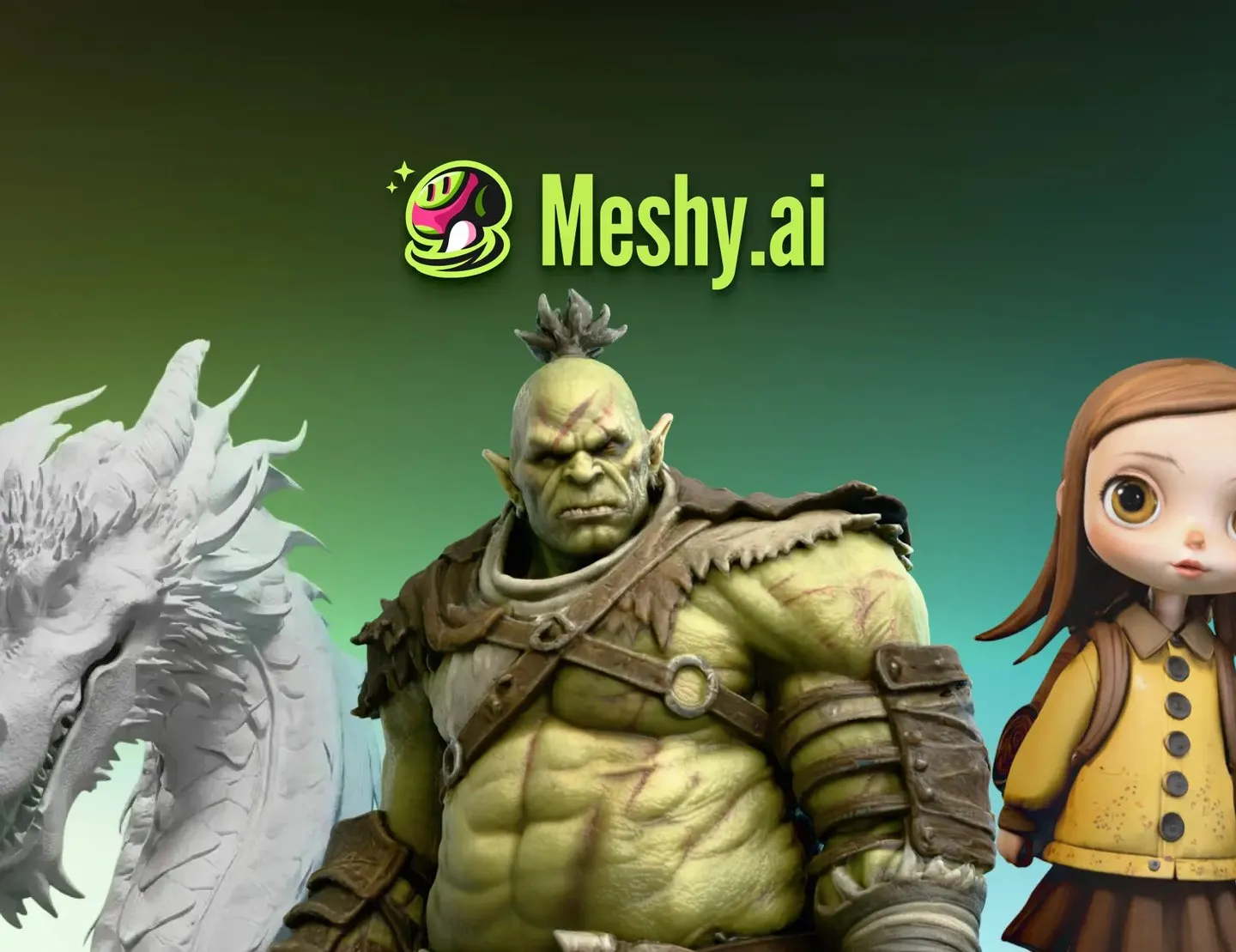
Meshy is a quick way for a designer to get a textured 3D object into a mockup or scene without modelling skills, and its chat-based 3D Agent makes starting easy. The catch: the Free plan barely lets you download anything useful, and reviewers say the meshes are dense and imprecise, so treat results as drafts.

Meshy AI
At a glance
Not scored yet. We only score tools after hands-on testing.
- What it is
- AI 3D model generator from text and images
- Free plan
- Yes
- Paid from
- $20/mo
- Builds
- Textured 3D models from text or images
- Input
- 3D Agent chat, PNG, JPG or WebP images
- Export
- GLB, FBX, OBJ, BLEND, STL, 3MF, USDZ
- Plugins
- Blender, Unity, Unreal, Maya and more
- Figma
- No Figma import or export stated
- API
- REST API and MCP server, paid plans
- Made by
- Meshy
Pricing checked Nov 26, 2026
Meshy AI pricing
Free
For trying it out
$0/mo
- 100 credits a month, no card needed
- 10 downloads a month, limited models
- CC BY 4.0 licence, credit Meshy
- No API or plugin bridge
Pro
For solo designers
$20/mo
- 1,000 credits a month (up to 100 assets)
- Unlimited downloads
- Private, customer-owned assets
- API and 3D plugin access
Premium
For heavier solo use
$40/mo
- 3,000 credits a month (up to 300 assets)
- Same core features as Pro
- Shipping coupons for Creative Lab and Shop
Ultra
For high-volume work
$100/mo
- 8,000 credits a month (up to 800 assets)
- Same core features as Pro
Studio
For teams, base package
$70/mo
- 5,500 shared credits a month
- $10 a month per extra seat
- Team management, central billing
- 8 free retries per task
Enterprise
For large organisations
Custom
- Custom credit balance
- SAML SSO
- Highest API throughput
- Dedicated account support
Every action uses credits from one monthly pool, and monthly credits don't roll over. Prices from meshy.ai/pricing, checked on 26 November 2026. Prices from meshy.ai, checked Nov 26, 2026. Plans change often, so confirm before you buy.
What Meshy is
Meshy is a fast way to get a textured 3D model from a sentence or a photo. For designers, it works best as a draft tool, not a modelling replacement. It runs in the browser and turns text prompts (through a chat-based 3D Agent) or images into 3D models. It also handles AI texturing, remeshing, rigging, simple animation and 3D-printing prep.
For a product, UI or brand designer, that means a 3D object for a hero image, a device scene or a prototype without learning a modelling tool. It is not a design tool in the Figma sense: Meshy’s pages don’t mention Figma import or export, and there are no screens or components here. You’ll find it in our AI image and video tools hub for that reason.
What designers can do with it
The 3D Agent and image-to-3D are why a designer would try Meshy; everything else is clean-up or hand-off. Ranked by how much each matters to a designer:
- Text to 3D through a chat (headline feature). You describe an object, pick one of several 2D concepts, and the agent generates the 3D model. Meshy says the 3D step usually takes about a minute. You can then retexture, remesh or fix details in the same chat, which is free to talk to; only the actions you run cost credits.
- Image to 3D (headline feature). Upload a PNG, JPG or WebP up to 20 MB, or up to four views of one object for a better result. Background removal is built in, and batch mode turns up to 10 images into 10 models. This is the route for turning a product sketch or photo into a 3D object.
- Textures you can use elsewhere (useful extra). Each model comes with diffuse, roughness, metallic and normal maps, and Meshy 7 texturing goes up to 8K. You can also upload your own model (FBX, OBJ, STL, glTF or GLB, up to 100 MB) and have Meshy texture it.
- Export and plugins (paid for the bridge). Docs list GLB, FBX, OBJ, BLEND, STL, 3MF and USDZ, plus DXF on some pages. Plugins cover Blender, Unity, Unreal, Maya, 3ds Max, Godot and others, but sending models through them needs Pro or above.
- Region editing (nice extra). Meshy Edit changes one area of a model from a text prompt, at 20 credits per edit.
- Rigging and animation (nice extra). Rigging and a set of preset animations cost 0 credits. That’s handy for a character in a pitch video, less so for product work.
- Weak spot: Free downloads. You can make models on Free, but you can only download 10 a month, and the help centre limits those to untextured Meshy 6 Lite models.
How good is the 3D output?
Independent reviewers like how quickly Meshy gets you a detailed model; their doubts are about the geometry underneath. None of what follows is our own test.
3D Printing Industry (Ada Shaikhnag, 7 September 2026) found the interface easy for beginners and rated the AI Agent the strongest feature. It also said exports to Bambu Studio, Unity and Blender were easy. The same review reported far more faces than needed even on simple shapes and non-manifold edges in slicers. It also found a 2.918 mm width-to-depth difference on a test cube, with textures occasionally grainy.
Frame Sixty, an XR studio, praised Meshy 7.1’s detail and region editing (Sean McCue, updated 23 October 2026). It said a rival, Tripo, produced cleaner hard-surface topology, and that dense output still needs retopology for standalone XR headsets. It also notes that Meshy Edit doesn’t work on Ultra 4K, low-poly, uploaded or rigged models, and edited regions come back untextured.
On Trustpilot, Meshy scored 4.7 from 3,978 reviews when the page was viewed on 22 November 2026. Most reviewers praise ease of use and speed. Some four-star reviewers call results inconsistent from one generation to the next, and better for decorative objects than practical parts.
For designers, that adds up to a clear use case. Meshy looks good enough for props, background objects and concept visuals. Anything that must match real product dimensions still needs checking and clean-up in a proper 3D tool.
The real cost: one credit pool, unclear prices
Meshy’s pricing is easy to follow: one pool of credits a month, and bigger plans buy more of them. We checked these prices on Meshy’s pricing page on 26 November 2026, in USD:
- Free: $0, 100 credits a month, no card. Credits reset on the 1st and don’t carry over. Daily login rewards can add up to 260 permanent credits per 30-day cycle.
- Pro: $20 a month for 1,000 credits, unlimited downloads, private assets, API and plugin access, and 20% off extra credit packs.
- Premium: $40 a month for 3,000 credits. Ultra: $100 a month for 8,000 credits.
- Studio: from $70 a month for a shared pool, plus $10 a month per extra seat. It includes 5,500 credits a month.
- Enterprise: custom pricing, SAML SSO and the highest API throughput.
New subscribers get 50% off the first month. The pricing FAQ mentions 20% off annual plans, but the comparison table shows the same figure for monthly and yearly, so check the yearly price at checkout. Until 2 December 2026, a Black Friday offer cuts yearly Pro, Premium and Ultra further. Students can get Pro for $5.99 a month for 13 months, and a $10 Starter plan exists in some developing countries, which Meshy doesn’t list.
Every action draws on the same pool at a fixed rate.
Image to 3D costs 20 credits on Meshy 7.1 or Meshy 6, 10 on Meshy 6 Lite and 25 on Ultra 2K or 4K. On paid plans other than Enterprise, Meshy 7.1 starts at Ultra 2K, so 25 is the default. AI Texturing costs 10, Model Edit 20, and remesh, rigging and the free animation clips cost nothing. Failed generations aren’t charged.
On those figures, Pro’s 1,000 credits cover about 40 default image-to-3D models. The “up to 100 assets” figure matches the 10-credit Meshy 6 Lite cost. Monthly credits are topped up to your allowance at reset rather than added to, and upgrading gives you only the difference in credits. Payments are generally non-refundable unless every condition in Meshy’s refund policy is met.
The Free licence needs care. Meshy says Free models come under CC BY 4.0, which allows commercial use as long as you credit Meshy. Its pages disagree on ownership, though.
The docs pricing page says Free users own the output under CC BY 4.0. The credits guide says Meshy owns it and licenses it to you, and the help centre says you get the licence “instead of ownership”. Paid plans get a private licence with full commercial use, and anything you publish to Meshy’s community page is released under CC0.
Our advice: use Free to see whether the output suits your style, but don’t plan client work on it. The download limits and the unclear ownership both point to Pro for anything you’ll publish. Check the live price in a browser first, and use the 50% first-month offer to try a month before committing.
Where it falls short
The main weakness is the geometry: reviewers describe dense, imprecise meshes that need work before they’re production-ready.
- Topology and accuracy. 3D Printing Industry reports far more faces than needed, and Frame Sixty says dense output still needs retopology. Meshy’s own Smart Topology and Remesh tools help, but they’re extra steps.
- The Free plan is a preview, not a plan. Ten downloads a month, limited to untextured Lite models according to the help centre, and buying credits doesn’t change that.
- Meshy’s own pages disagree. On Free downloads, Free ownership, credit reset dates and even export formats, different vendor pages give different answers.
- No design-tool link. Meshy doesn’t state any Figma import or export, so getting a 3D object into your design file is a manual step.
- Editing has gaps. Frame Sixty notes that Meshy Edit skips several model types and returns untextured regions.
- Inconsistent results. Some Trustpilot reviewers say results are inconsistent from one generation to the next.
Meshy vs modelling it yourself in Blender
Meshy is the faster start; modelling by hand is still the route when the object has to be exact. Meshy’s 3D step takes about a minute, and its Blender plugin (Blender 4.2 or later) brings models in with materials and vertex colours. Generation still happens in the web app, and the bridge needs Pro.
So the realistic workflow isn’t Meshy or Blender, but Meshy then Blender. Generate a draft, send it across, then clean up the mesh. Frame Sixty’s point about retopology and 3D Printing Industry’s dimension test suggest a hero product shot is worth modelling properly. Background props are where Meshy saves the most time.
Should you use Meshy?
Yes, if you need 3D props, concept objects or a quick 3D take on a sketch for mockups and pitch visuals, and a draft is good enough.
Not yet, if your object must match real dimensions, you want to publish work from the Free plan, or you need a clean mesh straight away.
None of the tools we’ve reviewed so far makes 3D models, so there’s no direct rival on Sketch Focus yet; reviews of similar 3D tools are coming. If your mockup really needs a prototype screen or UI rather than a 3D object, a prompt-to-design tool such as Figma Make or Claude Design is the closer fit.
How we reviewed Meshy
This review is based on research, not yet on our own hands-on test. In we checked Meshy’s pricing pages, docs, help centre and feature pages, plus published independent reviews. Prices, limits and features come from Meshy’s own pages, and we’ve flagged where those pages disagree. Statements about output quality summarise what independent reviewers and users report; the opinions are our editors’ judgement based on that research.
Next, we’ll use Meshy on a real design project: turning product sketches into 3D models for a set of marketing mockups, then checking how they hold up in Blender. See how we test.
Sources we checked
- Meshy pricing (opens in new tab) and Meshy docs: pricing (opens in new tab)
- Meshy credits guide (opens in new tab) (30 July 2026)
- Meshy help centre: prices and plans (opens in new tab), Studio plan (opens in new tab), commercial use and licence (opens in new tab), Free plan (opens in new tab), monthly credits (opens in new tab), students and educators (opens in new tab)
- Meshy features: text to 3D (opens in new tab), image to 3D (opens in new tab), integrations (opens in new tab)
- Meshy docs: overview (opens in new tab), Blender plugin (opens in new tab), Unity plugin (opens in new tab)
- Meshy AI tested across six practical 3D modelling tests (opens in new tab) (3D Printing Industry)
- Meshy AI 3D review (opens in new tab) (Frame Sixty)
- Meshy on Trustpilot (opens in new tab)
Update history
How we keep pages current- Prices re-checked on meshy.ai: the pricing page now shows Pro $20, Premium $40, Ultra $100 and Studio $70 with 5,500 credits; noted the Black Friday offer.
First published
Frequently asked questions
Is Meshy AI free?
Yes. The Free plan gives you 100 credits a month with no credit card. Downloads are capped at 10 a month, and the help centre says only untextured Meshy 6 Lite models can be downloaded, while the pricing page says Meshy-4 models. There's no API on Free, and buying credits doesn't add more downloads.
How much does Meshy cost?
Meshy's pricing page lists Pro at $20 a month, Premium at $40 and Ultra at $100, with Studio from $70 a month plus $10 per extra seat. New subscribers get 50% off the first month, and Enterprise is priced on request. We checked these prices on 26 November 2026.
Can you use free Meshy models commercially?
Meshy says yes, with attribution: Free models come under CC BY 4.0, which allows commercial use if you credit Meshy. Its pages disagree on who owns Free output, though, and the help centre says the licence comes 'instead of ownership'. Paid plans get a private licence with full commercial use.
What file formats can Meshy export?
Meshy's docs list GLB, FBX, OBJ, BLEND, STL, 3MF, USDZ and DXF, though some of its pages leave DXF out. GLB, FBX, OBJ and USDZ exports include the PBR texture maps. For 3D printing, STL and 3MF (with colour) are the options.
Does Meshy work with Blender or Unity?
Yes, through free plugins that act as a bridge from the Meshy web app. You still generate models in the browser, then send them into Blender (4.2 or later) or Unity (2021.3 or later). Sending models through the bridge needs Pro or above.
Is Meshy good for product mockups?
For rough visual mockups and decorative props it looks like a fair fit; for accurate product geometry, independent reviews suggest not. 3D Printing Industry measured a 2.918 mm width-to-depth difference on a simple test cube. Some Trustpilot reviewers say it suits decorative objects better than practical parts.