ChatGPT Images review
Is ChatGPT Images free? Yes, on every plan, but limits aren't published. What Images 2.6 does for designers, API costs, SVG, transparency and rights.
 Sketch Focus Editorial TeamLast updated
Research-based reviewNot yet tested hands-on · facts checked Nov 24, 2026How we test
From $8/mo
Free plan available
Our take so far
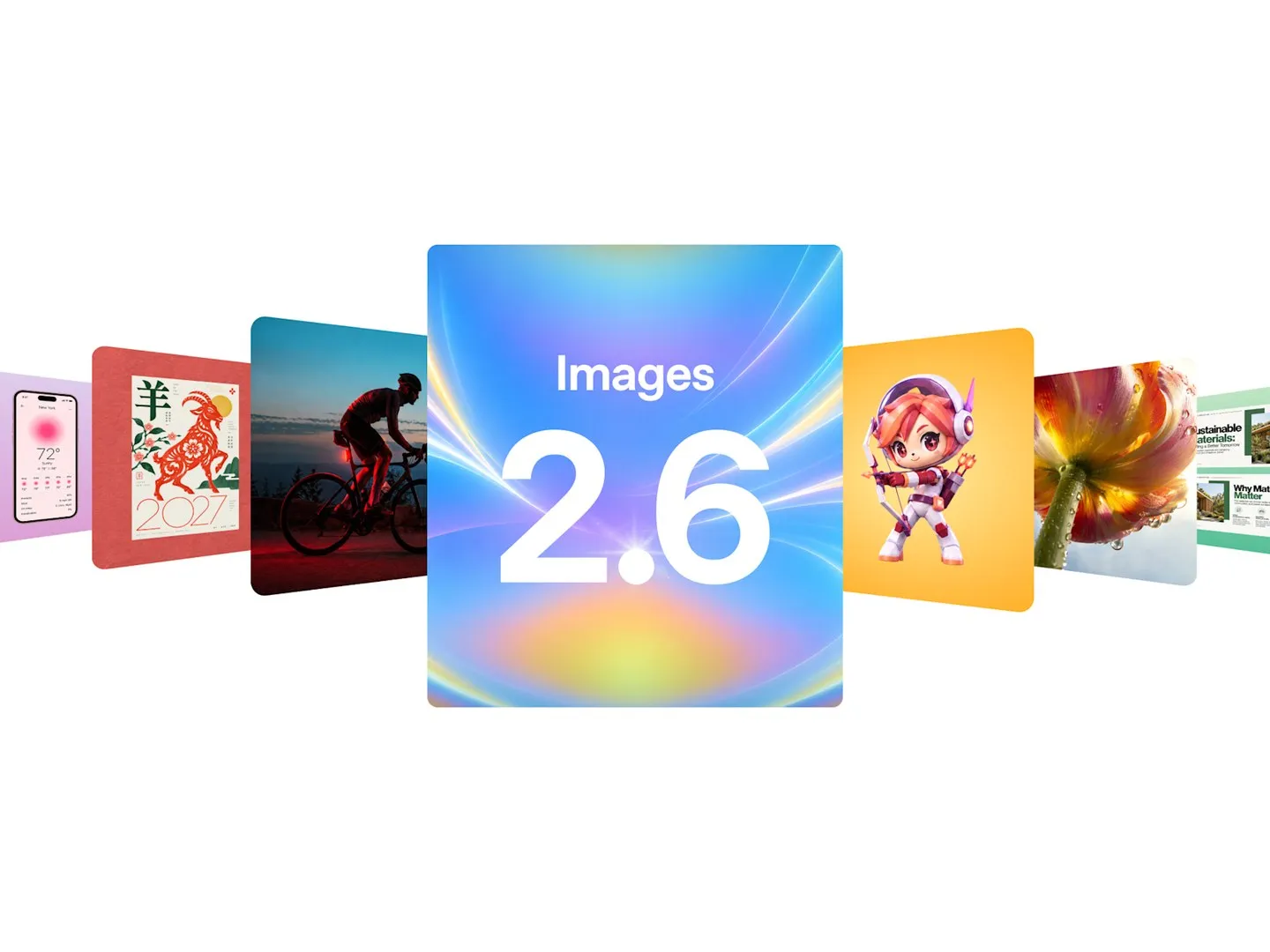
ChatGPT Images is the easiest AI image tool for designers to reach, and it offers transparent backgrounds and API SVG output, which Google doesn't document for Nano Banana. The catch: OpenAI publishes no image limits per plan, SVG export is API-only and unproven, and low-quality API drafts now cost about four times what they did on 2.5.
ChatGPT Images
At a glance
Not scored yet. We only score tools after hands-on testing.
- What it is
- OpenAI's image generator in ChatGPT and the API
- Free plan
- Yes
- Paid from
- $8/mo
- Latest model
- Images 2.6 (4 November 2026)
- API models
- gpt-image-2.6-flare, gpt-image-2.6-sunburst
- Output
- PNG, JPEG, WebP, GIF; SVG in the API only
- Max size (API)
- 3,840 px edge, ratios 1:3 to 3:1
- Editing
- Selection in ChatGPT; markup and masks in API
- Provenance
- C2PA metadata and SynthID watermark
- Made by
- OpenAI
Pricing checked Nov 24, 2026
ChatGPT Images pricing
Free
For trying it out
$0/mo
- Limited image creation, separate from chat
- Images 2.6, GIFs rolling out
- No image generation with Thinking
- Numeric limit not published
Go
Low-cost upgrade (US price)
$8/mo
- 10x the free tier's image creation
- No image generation with Thinking
- Price localised in some markets
Plus
For most designers
$20/mo
- More complex and accurate image creation
- Image generation with Thinking
- Numeric limit not published
Pro
For heavy use (Pro 100; also $200 and $500)
$100/mo
- Unlimited and faster image creation
- Image generation with Thinking
- Higher tiers add more overall usage
Business
For teams of 2 to 200, Standard seat billed annually
$20/user/mo
- $25 a seat billed monthly
- Premium seats $100 ($125 monthly)
- Image generation with Thinking
- No training on business data by default
Enterprise
For large organisations, contact sales
Custom
- Image generation
- Images with Thinking coming soon
- Annual billing
Image creation is on every ChatGPT plan, but OpenAI publishes no image counts per plan. The API is billed separately at $30 per 1M image output tokens for both Images 2.6 models. Prices from chatgpt.com, checked Nov 24, 2026. Plans change often, so confirm before you buy.
What ChatGPT Images is
ChatGPT Images is the image tool most designers already have access to, and Images 2.6 makes it more useful for real asset work. It’s OpenAI’s image generation and editing feature inside ChatGPT and Codex, and the same models are sold to developers through the API as GPT Image.
Images 2.6 arrived on 4 November 2026, two months after 2.5. OpenAI says it generates about 50% faster, makes animated GIFs and lets you save reference images in ChatGPT. API users also get SVG output, markup-guided edits and a new complexity setting. There are two API models: Flare for speed and layouts, Sunburst for detail and consistent edits. In ChatGPT, you don’t choose between them.
We cover it in our AI image and video tools hub because it makes images, not UI. Nothing on OpenAI’s pages mentions a Figma import or export.
What designers can do with it
The headline features for designers are transparent backgrounds and text in images. Edits are useful but imprecise, and GIFs and SVG are newer and less proven. Ranked by how much they matter:
- Transparent backgrounds (headline feature). ChatGPT makes them when you ask, and the API has a transparent background setting for PNG and WebP. That’s an icon, sticker or product cut-out ready to drop into a layout. OpenAI’s GPT-Image-2.6 prompting guide says both 2.6 models support it, though the API reference still names only the 2.5 models.
- Text in images (headline feature, with care). Independent testers found the text they specified came out correct, from posters to a cheat sheet with 29 text strings. OpenAI’s own guide still warns that text placement and clarity can be weak.
- Region edits (useful, imprecise). In ChatGPT you brush over an area and describe the change. OpenAI admits selections aren’t always precise and edits can spill outside them. The API adds markup (draw on a transparent layer) and masks, which OpenAI says guide the model rather than fix the shape exactly.
- Saved reference images (useful extra). Save a photo under a name and call it with @ in later chats. Handy for a mascot or product you reuse.
- Any aspect ratio (useful extra). ChatGPT takes any ratio from a picker or the prompt. The API accepts custom sizes up to 3,840 px on the long edge, from 1:3 to 3:1.
- Animated GIFs (nice extra). Ask for a loop, animate a still or adjust playback speed. The API allows 2 to 16 frames. Fine for social posts and storyboards, not for product motion work.
- SVG export (API only, unproven). Set the output to SVG and the API makes a reference image, then writes static vector code. It’s one image per request, with no scripts or embedded bitmaps.
Ask for a transparent PNG first; treat the SVG as a sketch.
How good is the output?
Independent testers rate Images 2.6 highly on layout and requested text, and less highly on speed and editing. None of what follows is our own test.
DataCamp’s Laiba Siddiqui (12 November 2026) found both models rendered poster text correctly. Flare’s best median was 6.9 seconds, not the six OpenAI quotes. Background edits kept the product intact, but the lighting didn’t adapt to the new scenes. Low-quality API GIFs drifted between frames, so she suggests medium or high quality for branded work.
PhotoWorkout’s Andreas De Rosi (7 November 2026) calls it “an excellent sketchpad, not a retoucher”. Text he specified was accurate, but invented text, like brand names on cameras, wasn’t. ChatGPT returned wrong dimensions and images of about 1.6 megapixels. In his pipeline Sunburst was only about 6% faster than 2.5. He also found the SVG he got in ChatGPT was written as code, and downloaded GIFs carried no C2PA data.
Two small head-to-heads come from companies with something to sell. AwakePix, which makes a rival app, scored Sunburst 22, Flare 21 and Nano Banana Pro 18 out of 24 across six prompts (8 November 2026). Dreamini, which sells access to both models, found GPT Image 2.6’s sign lettering sharper than Nano Banana Pro’s (6 November 2026).
SVG is the least proven part. Promptslove’s Ramanpal Singh (8 November 2026) cites third-party reports of 9 successes in 48 launch-week requests. He didn’t run them himself, and we couldn’t verify the figure.
The real cost: plans, limits and API pricing
For most designers, Plus at $20 a month is the plan to start with, because it adds image generation with Thinking. That mode lets ChatGPT reason about the request first, which OpenAI says helps with complex, accurate images such as layouts with several elements. The problem is that OpenAI publishes no image counts for any plan, as of November 2026.
We checked chatgpt.com/pricing in a browser on 24 November 2026. Prices can vary by country: the page showed us Go at $7 and Pro from $120, while OpenAI’s help centre and Go announcement give $8 in the US and $100. The table uses OpenAI’s US figures:
| Plan | Price | Image creation, as OpenAI words it |
|---|---|---|
| Free | $0 | “Limited”, with its own limit separate from chat |
| Go | $8/month (US) | 10 times the free tier, no Thinking |
| Plus | $20/month | “More complex and accurate”, with Thinking |
| Pro | from $100/month ($200 and $500 tiers) | “Unlimited and faster”, with Thinking |
| Business | $20 a seat/month billed annually ($25 monthly); Premium seats $100 | Thinking included |
| Enterprise and Edu | contact sales | Thinking “coming soon” |
The API is billed separately. Both 2.6 models cost $30 per 1M image output tokens, $8 per 1M image input tokens and $5 per 1M text input tokens. OpenAI’s guide gives an example of 823 output tokens costing $0.02469, roughly 2.5 cents for a low-quality square image.
The token rate didn’t change from 2.5, but the token count did. eesel AI (5 November 2026) estimates a low-quality square image went from about $0.006 to $0.025, and medium from $0.013 to $0.044. High quality stays at about $0.053. SVG costs the image rate plus a separate authoring model’s tokens, with no fixed price. Organisation verification may be needed before you can use the API at all.
Our advice: stay in ChatGPT Plus for exploration and one-off assets. Move to the API only if you need SVG, batch generation or exact sizes, and set quality deliberately.
Where it falls short
The main weakness is predictability: unpublished limits, imprecise edits and a speed claim testers couldn’t match.
- No published limits. You can’t plan a client deadline around a quota OpenAI doesn’t state.
- Edits regenerate rather than retouch. PhotoWorkout calls it a sketchpad, not a retoucher, and OpenAI says edits can spill outside a selection. Don’t use it where original pixels matter.
- Speed claims don’t hold up in tests. DataCamp’s best Flare time was 6.9 seconds, not six; PhotoWorkout saw Sunburst only about 6% faster than 2.5.
- SVG and GIF are early. SVG is API-only and poorly evidenced, and testers saw GIF frames drift.
- OpenAI’s docs disagree. The API guide and reference differ on SVG in edits, which models support markup and top quality levels.
- Consistency. OpenAI says recurring characters and brand elements can vary across generations.
ChatGPT Images vs Nano Banana Pro
ChatGPT Images is the better pick for designers who need production-friendly formats; Nano Banana Pro wins on resolution and reference images. We haven’t reviewed Nano Banana Pro as a tool yet; our Nano Banana Pro guide for designers covers it in depth.
| ChatGPT Images (2.6) | Nano Banana Pro | |
|---|---|---|
| Transparent background | Yes, in ChatGPT and the API (both 2.6 models) | Not documented by Google |
| Vector output | SVG, API only | Not documented |
| Max size | 3,840 px edge (API) | 4K |
| Reference images | Saved @references; up to 16 API inputs | Up to 14 |
| API price per image | about $0.025 low to $0.053 high (square, estimates) | $0.134 at 1K or 2K, $0.24 at 4K |
| Provenance | C2PA and SynthID | SynthID on every image |
Google’s figures are from its AI Studio pricing and image generation docs, checked 24 November 2026. Google’s cheaper Nano Banana 2.1 costs $0.0336 at 1K. On quality, TechRadar’s Eric Hal Schwartz (13 October 2026) called Images 2.5 and Nano Banana 2.1 “approaching parity”. Gemini was better on poster text and comic consistency, ChatGPT on detailed instructions.
Pick by format first, model second.
Should you use ChatGPT Images?
Yes, if you already pay for ChatGPT and need transparent icons, stickers, poster drafts or mood images with readable text. It also suits you if you want SVG or exact sizes through the API.
Not yet, if you need to retouch real photos without changes, plan volume around a known quota, or rely on clean vector files with no clean-up.
How we reviewed ChatGPT Images
This review is based on research, not yet on our own hands-on test. In we checked OpenAI’s Images 2.6 and 2.5 announcements and the Images 2.6 system card. We also read the API pricing page, image generation guide and API reference, chatgpt.com/pricing, OpenAI help centre articles, the Terms of Use and the usage policies. We also read independent reviews and community reports. Several OpenAI help pages wouldn’t load for our automated reader, so we checked plan prices on chatgpt.com/pricing in a browser.
Facts come from OpenAI’s pages; output quality comes from attributed reviewers. Next, we’ll run our standard image brief through ChatGPT Images and Nano Banana Pro. It covers a transparent app icon set, a text-heavy poster and a product mockup, plus an SVG export opened in Figma. See how we test.
Sources we checked
- OpenAI: Introducing Images 2.6 (opens in new tab) (4 November 2026), Images 2.6 system card (opens in new tab), Introducing ChatGPT Images 2.5 (opens in new tab) (8 September 2026)
- OpenAI API: pricing (opens in new tab), image generation guide (opens in new tab), GPT-Image-2.6 prompting guide (opens in new tab), Images API reference (opens in new tab)
- ChatGPT: pricing (opens in new tab), Introducing ChatGPT Go (opens in new tab)
- OpenAI help centre: Images in ChatGPT (opens in new tab), Free tier FAQ (opens in new tab), ChatGPT Plus (opens in new tab), ChatGPT Pro (opens in new tab)
- OpenAI policies: Terms of Use (opens in new tab), Usage policies (opens in new tab), Brand guidelines (opens in new tab)
- Google: AI Studio pricing (opens in new tab) (Nano Banana prices)
- OpenAI Images 2.6 review (opens in new tab) (DataCamp)
- GPT-Image-2.6 tested on real photos (opens in new tab) (PhotoWorkout)
- ChatGPT Images 2.6: GIFs, API models and per-image cost (opens in new tab) (eesel AI)
- ChatGPT Images 2.6 review (opens in new tab) (Promptslove)
- GPT Image 2.6 vs Nano Banana Pro (opens in new tab) (Dreamini AI)
- GPT Image 2.6 vs Nano Banana Pro: 6 prompts tested (opens in new tab) (AwakePix on DEV Community)
- Nano Banana 2.1 vs ChatGPT (opens in new tab) and Reddit users on Images 2.5 noise (opens in new tab) (TechRadar)
- OpenAI Images 2.6 adds GIF support (opens in new tab) (Digital Trends)
- Has ChatGPT image quality suddenly declined? (opens in new tab) (OpenAI Community forum)
Frequently asked questions
Is ChatGPT image generation free?
Yes. Image creation is on every ChatGPT plan, including Free, and OpenAI says Images 2.6 is available across all tiers. Free has its own image limit, separate from chat, and OpenAI doesn't publish the number. When you hit it, ChatGPT shows an upgrade prompt.
How many images can you make with ChatGPT Plus?
OpenAI doesn't say. Its pricing page describes Plus as 'more complex and accurate image creation', Go as ten times the free tier and Pro as unlimited, but gives no image counts for any plan (checked 24 November 2026).
How much does the GPT Image API cost?
Both Images 2.6 models cost $30 per 1M image output tokens, $8 per 1M image input tokens and $5 per 1M text input tokens. OpenAI's own example works out at about $0.025 for one low-quality square image. Third-party estimates put a high-quality square image at about $0.053.
Can ChatGPT make transparent PNGs or SVG files?
Transparent backgrounds, yes: ChatGPT does it when you ask, and the API has a transparent background setting for PNG and WebP. SVG output is API only, one image per request, and static. In ChatGPT itself, one reviewer found the SVG it produced was written as code rather than drawn by the image model.
Can I use ChatGPT images commercially?
OpenAI's Terms of Use say you own the output and OpenAI assigns its rights to you. The same terms say output may not be unique, and you can't present it as human-made. The usage policies ban using someone's likeness without consent and infringing others' IP, so logos and real people still need care.
ChatGPT Images or Nano Banana Pro: which is better for designers?
ChatGPT Images if you need transparent assets, vector output or the lowest API draft cost. Nano Banana Pro if you need 4K output or many reference images. Small tests published in November 2026 by companies selling AI image apps favoured GPT Image 2.6 on layout and text, but none is a benchmark.